Introduction: AI Is Everywhere — But Not All Tools Help You Learn
In 2026, artificial intelligence is no longer a futuristic concept in programming — it’s a daily tool.
Students use it. Self-taught developers rely on it. Professional engineers integrate it into workflows.
But here’s the problem:
There are hundreds of AI coding tools available today. Most of them generate code. Very few of them actually help you learn faster.
If you’re a Python beginner, the wrong AI tool can make you dependent.
If you’re an intermediate developer, the wrong tool can slow you down instead of boosting productivity.
This guide is different.
Instead of listing random tools, we’ll break down the best AI websites for coding in 2026 based on:
- How well they explain concepts
- How they help you debug
- Whether they improve logical thinking
- Whether they encourage real learning
This article is for:
- Python beginners
- Self-taught programmers
- Intermediate developers who want smarter workflows
Let’s start with something most people skip.
In this guide, we’ll break down the best AI websites for coding in 2026 based on real learning impact — not hype.
👉 step-by-step Python learning roadmap
What Makes an AI Coding Website Actually Helpful?
Before jumping into tools, you need criteria.
Otherwise, you’ll chase hype instead of progress.
1. Clear Explanations (Not Just Code Dumps)
A useful AI website should explain:
- Why the code works
- Why your error happened
- How to improve it
If it only gives you the final answer, you’re not learning — you’re copying.
2. Strong Debugging Support
Debugging is where real learning happens.
The best AI coding tools:
- Analyze error messages
- Explain them in simple language
- Suggest step-by-step fixes
If a tool can’t help you debug, it’s incomplete.
3. Logical Thinking Improvement
Good AI tools don’t just solve problems.
They help you think through them.
For example:
- Asking clarifying questions
- Breaking problems into steps
- Encouraging structured logic
4. Practice & Exercises
Learning requires repetition.
The best AI websites for coding can:
- Generate exercises
- Create mini-projects
- Quiz you
5. Low Dependency Risk
This is important.
If a tool makes you stop thinking, it’s hurting you long-term.
The best AI coding websites accelerate thinking — they don’t replace it.
Now let’s look at the tools that actually meet these standards.
Let’s explore the best AI websites for coding and see which one fits your learning stage.
The Best AI Websites for Coding in 2026
1. ChatGPT
Why It’s Powerful
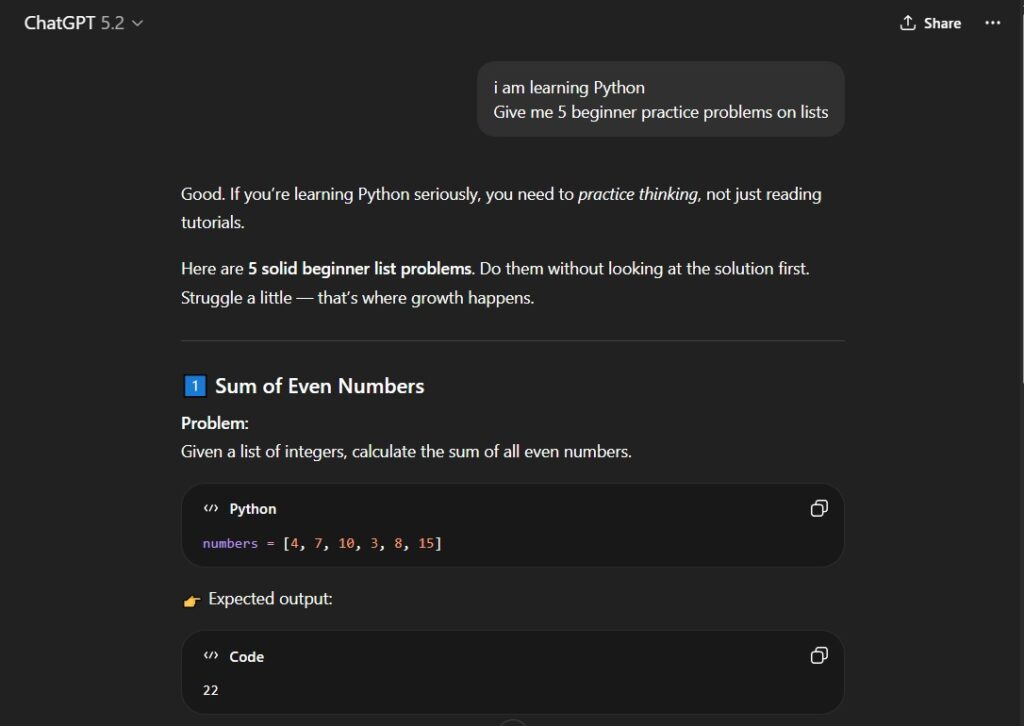
ChatGPT remains one of the most versatile AI coding websites available in 2026.
It can:
- Explain code line by line
- Debug error messages
- Refactor messy functions
- Generate exercises
- Simulate interviews
Unlike autocomplete tools, it focuses on understanding.
Best for Beginners
If you’re learning Python:
You can ask:
“Explain Python loops like I’m 12.”
“Why am I getting IndexError?”
“Give me 5 beginner practice problems on lists.”
That flexibility makes it ideal for learning foundations.
Best for Intermediate Developers
For intermediates, ChatGPT is excellent for:
- Code optimization
- Architectural discussions
- Reviewing logic
- Explaining advanced concepts
Mistake to Avoid
Copy-pasting code without understanding it.
If you do that consistently, you’ll feel productive — but your skills won’t grow.
👉 OpenAI product page for ChatGPT
2. GitHub Copilot by GitHub
What It Does Well
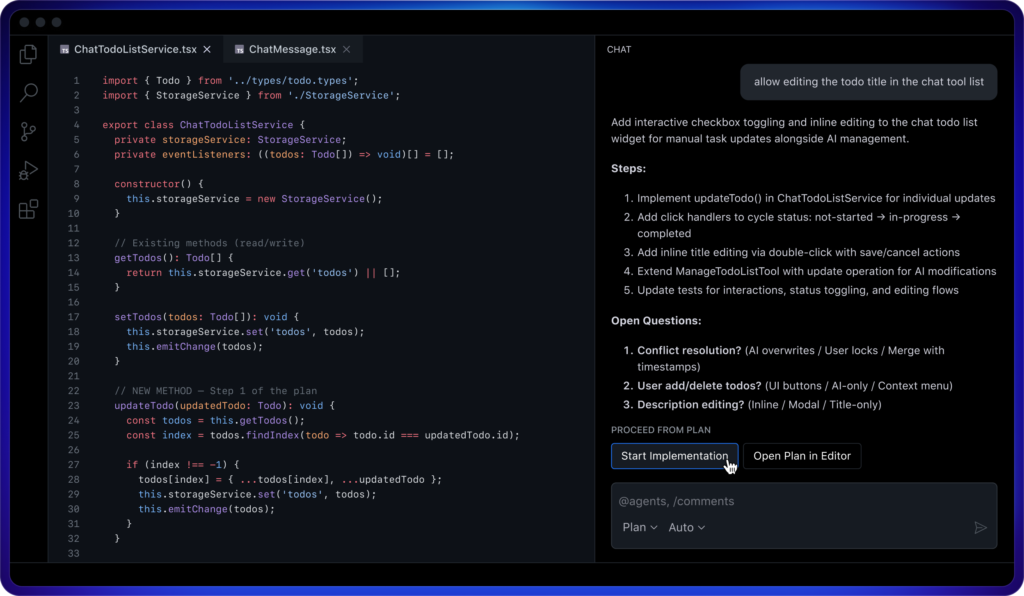
GitHub Copilot works directly inside your code editor.
It:
- Autocompletes functions
- Suggests entire blocks of code
- Speeds up boilerplate writing
It’s designed for productivity.
When Beginners Should Be Careful
If you’re still learning syntax and logic, heavy autocomplete can reduce your thinking.
You may:
- Accept suggestions without reading
- Skip understanding function structure
- Become reliant too early
When Intermediates Should Use It
If you already understand:
- Functions
- Loops
- APIs
- Basic architecture
Copilot becomes powerful.
It reduces repetitive work and increases output speed significantly.
Intermediate developers should evaluate the best AI websites for coding based on productivity gains and workflow integration.
3. Replit
Why It’s Great for Practice
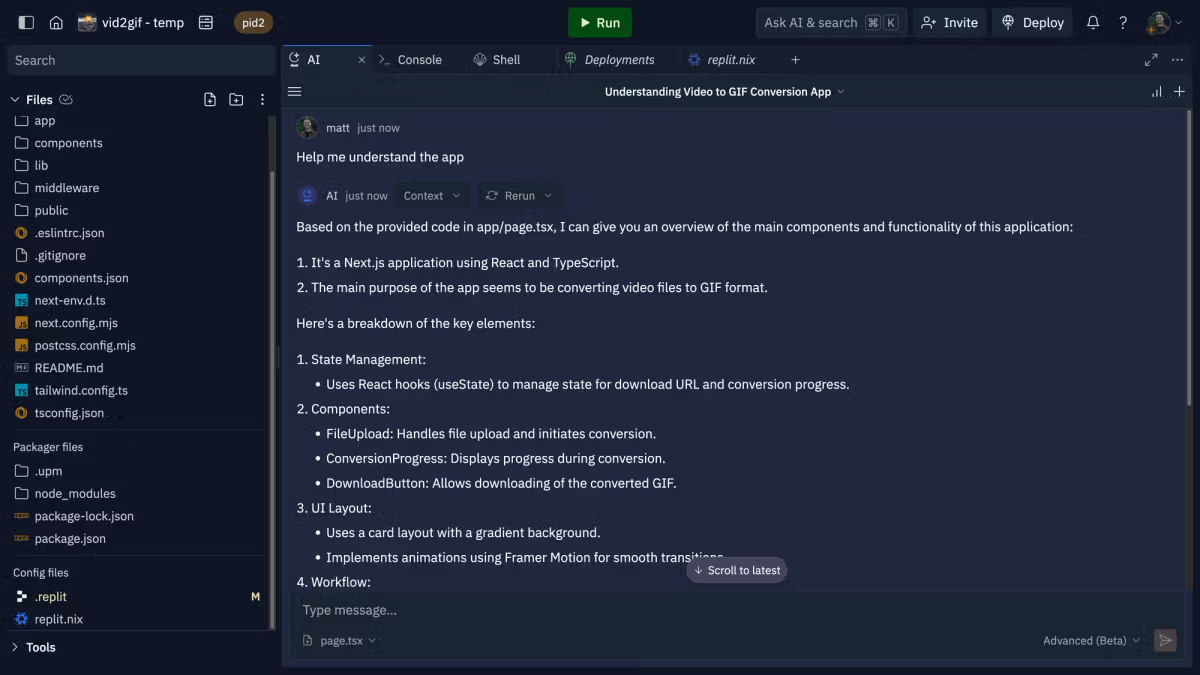
Replit allows you to run code instantly in your browser.
No installation.
No environment setup.
For beginners, this removes friction — and friction kills consistency.
Perfect for Students
Students can:
- Experiment quickly
- Share projects
- Collaborate easily
Many beginners quit because of setup frustration. Replit solves that.
AI Features
Replit includes AI assistance that can:
- Explain errors
- Suggest improvements
- Help generate starter templates
Limitation
For very large or production-level projects, local development environments are stronger.
But for learning and experimentation? Excellent.
👉 Homepage or AI features page
4. Qodo (Codeium)
Free Alternative to Copilot
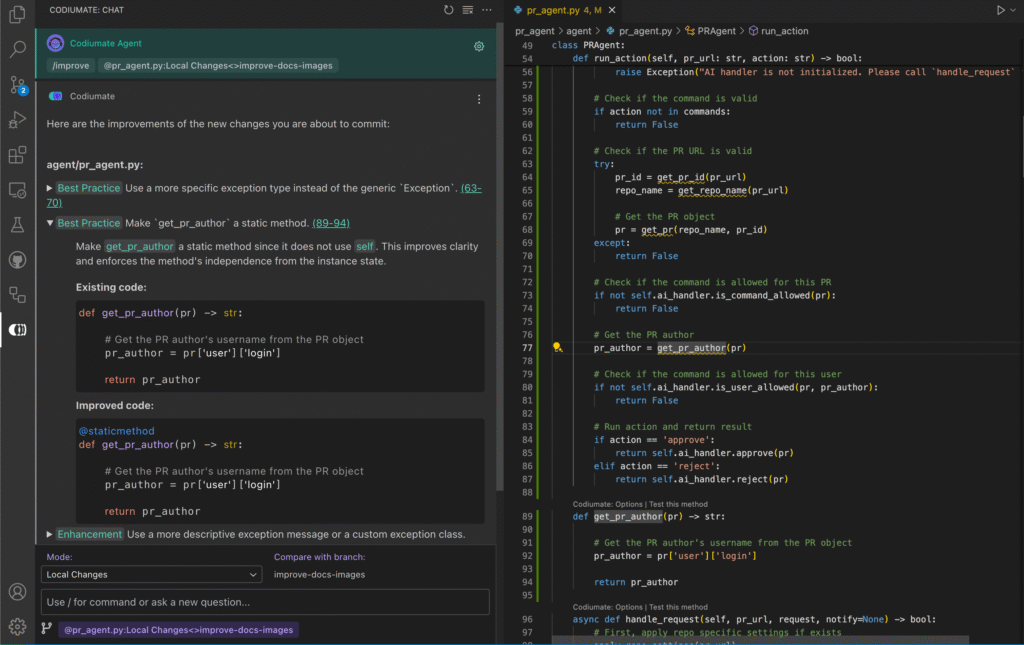
Codeium offers AI autocomplete similar to Copilot — often with a generous free tier.
For budget-conscious developers, this matters.
Strengths
- Works inside IDE
- Fast suggestions
- Lightweight setup
Weaknesses
- Less refined suggestions compared to Copilot
- Not as strong for deep architectural logic
Best For
Intermediate developers who want speed but don’t want paid tools yet.
5. Phind
Best for Research
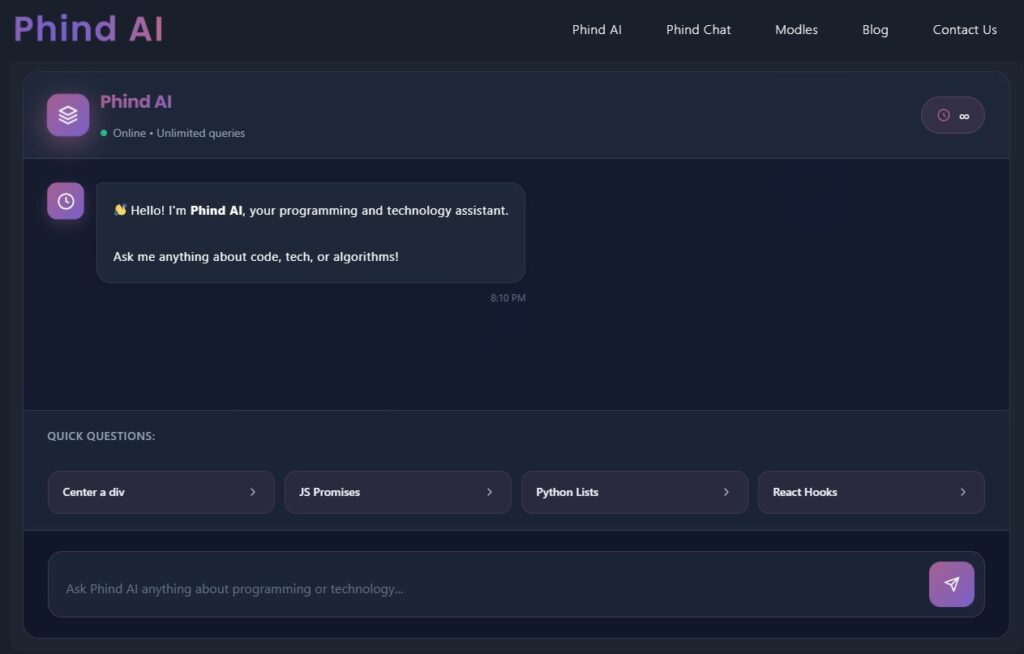
Phind acts like an AI-powered search engine specifically for developers.
It’s strong when you need:
- Documentation breakdown
- API usage examples
- Technical comparisons
How It Differs from ChatGPT
ChatGPT is conversational.
Phind feels more research-oriented.
It’s excellent for deeper technical exploration.
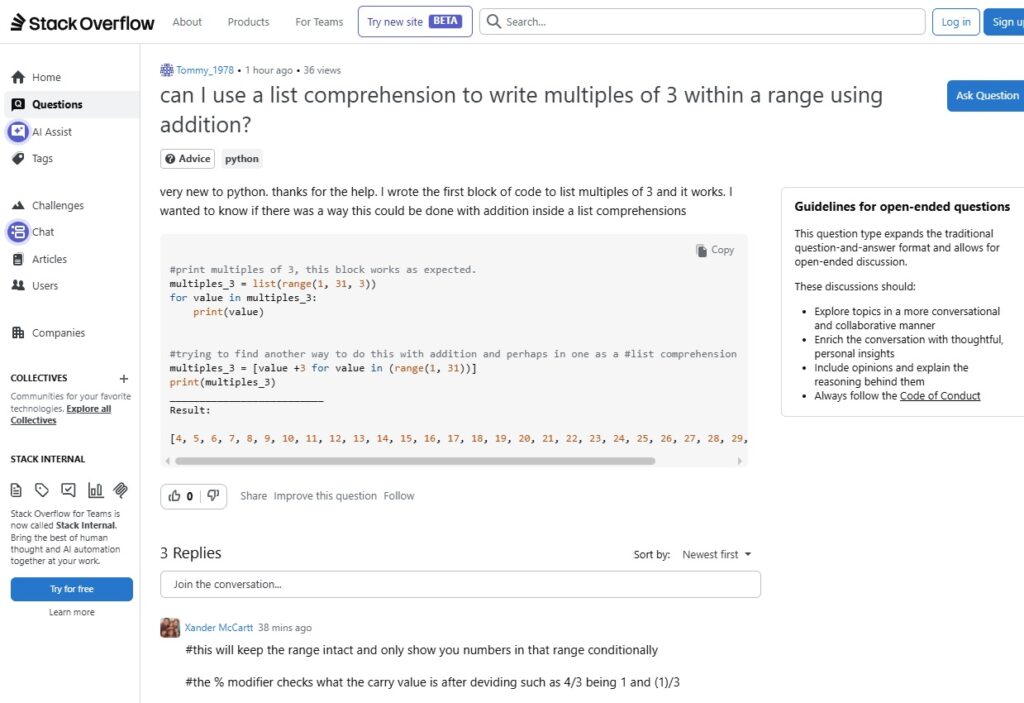
6. Stack Overflow
Still Relevant in 2026?
Yes.
Even with AI dominance, Stack Overflow remains valuable for:
- Real-world edge cases
- Community-verified answers
- Historical solutions
AI + Stack Overflow Combo
Use AI to:
- Summarize threads
- Explain accepted answers
- Translate complex replies
That combination is powerful.
Comparison Table
| Tool | Best For | Beginner Friendly | Free Option | Dependency Risk |
|---|---|---|---|---|
| ChatGPT | Learning & Debugging | ⭐⭐⭐⭐⭐ | Yes | Low |
| Copilot | Productivity | ⭐⭐⭐ | Limited | Medium |
| Replit | Practice | ⭐⭐⭐⭐ | Yes | Low |
| Codeium | Autocomplete | ⭐⭐⭐ | Yes | Medium |
| Phind | Research | ⭐⭐⭐⭐ | Yes | Low |
| Stack Overflow | Error Solving | ⭐⭐⭐ | Yes | Low |
The key difference:
Some tools improve understanding.
Others improve speed.
You need both — but at the right stage.
For beginners, choosing the best AI websites for coding is less about speed and more about understanding.
AI Websites for Different Coding Goals
🧑🎓 If You Want to Learn From Scratch
Best combo:
- ChatGPT
- Replit
Explain why understanding > speed.
⚡ If You Want to Build Projects Faster
Best tools:
- GitHub Copilot
- Codeium
Add productivity angle.
🔍 If You’re Debugging Errors Daily
Best tools:
- ChatGPT
- Stack Overflow
Explain combined workflow.
📚 If You’re Preparing for Interviews
Best:
- ChatGPT
- Phind
Best AI Websites for Python Beginners
If you’re just starting Python:
Start with:
- ChatGPT for explanations
- Replit for running code
- Phind for documentation help
Avoid heavy autocomplete tools early.
Your priority should be:
Understanding > Speed.
👉 best free AI tools for Python coding
Best AI Websites for Intermediate Developers
Once you’re comfortable with:
- Functions
- APIs
- Basic projects
Add:
- Copilot or Codeium for speed
- ChatGPT for optimization
- Phind for research
Now AI becomes a productivity multiplier.
How to Use AI Without Killing Your Learning
This is where most people fail.
Follow these rules:
- Rewrite generated code manually.
- Ask for explanations.
- Build small projects without AI sometimes.
- Debug first before asking for help.
- Use AI as a reviewer, not a replacement brain.
If you follow this, AI becomes leverage.
If you don’t, AI becomes a crutch.
👉 common Python beginner mistakes
Are AI Coding Websites Replacing Developers?
No.
They are replacing:
- Repetitive typing
- Boilerplate writing
- Basic search
They are not replacing:
- Problem-solving
- System design
- Creative logic
The developer who learns to use AI properly will outperform the one who ignores it.
But the developer who depends blindly on AI will struggle long-term.
Common Mistakes Developers Make With AI
- Copying without understanding
- Skipping debugging
- Trusting AI blindly
- Overusing autocomplete too early
- Not reading documentation
Explain each briefly.
AI Coding Websites by Use Case (Choose the Right Tool for Your Goal)
Not every developer needs the same AI tool.
The best AI websites for coding depend on your current goal — learning, building, debugging, or preparing for interviews.
Let’s simplify it.
🧑🎓 If You Want to Learn Coding From Scratch
If you’re just starting Python or programming in general, your priority should be:
Understanding > Speed
The best combination:
- ChatGPT for explanations and debugging
- Replit for running code instantly
Why this works:
ChatGPT can break down loops, functions, and errors step by step in simple language.
Replit removes installation frustration and lets you practice immediately.
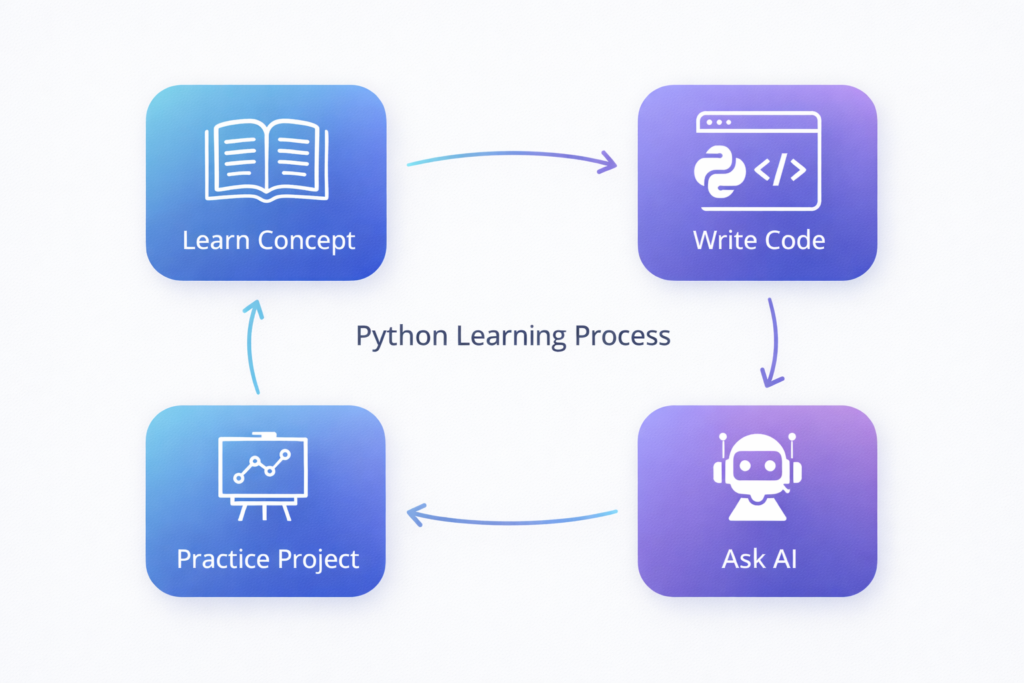
This combination creates a clean learning cycle:
- Learn concept
- Write code
- Test it
- Ask AI to explain mistakes
- Repeat
That’s how real skill builds.
⚡ If You Want to Build Projects Faster
If you already understand fundamentals and want to increase output, speed becomes important.
Best tools:
- GitHub Copilot
- Codeium
These tools help by:
- Autocompleting repetitive code
- Generating boilerplate functions
- Suggesting optimized patterns
At this stage, AI becomes a productivity multiplier.
But remember — you must still review suggestions critically. Faster doesn’t mean better if you don’t understand what’s happening.
🔍 If You’re Debugging Errors Daily
Debugging is where developers grow the most.
Best combination:
- ChatGPT
- Stack Overflow
Here’s a powerful workflow:
- Try solving the error yourself.
- Paste the error into ChatGPT and ask for explanation.
- Verify solutions by checking Stack Overflow discussions.
AI explains.
Community validates.
That’s a strong combination.
📚 If You’re Preparing for Coding Interviews
Interview preparation requires:
- Problem-solving
- Algorithm thinking
- Clear explanations
Best tools:
- ChatGPT for mock interviews
- Phind for deeper research
You can ask ChatGPT to:
- Generate timed problems
- Simulate technical interviews
- Review your solution
Phind helps when you need deeper documentation understanding.
Common Mistakes When Using AI for Coding
AI can accelerate growth — or quietly weaken your skills.
Most developers don’t fail because of AI.
They fail because of how they use it.
Let’s fix that.
1️⃣ Copying Code Without Understanding
This is the biggest mistake.
If you:
- Paste AI-generated code
- Run it
- See it works
- Move on
You didn’t learn anything.
Always ask:
- What does each line do?
- Why is this approach used?
- Can I rewrite this myself?
If you can’t rewrite it from memory, you haven’t mastered it.
2️⃣ Skipping Manual Debugging
Many beginners paste errors into AI immediately.
Don’t.
Debug first.
Read the error message.
Trace the logic.
Look at variable values.
Then ask AI for help.
Struggling for 10–15 minutes improves long-term skill far more than instant answers.
3️⃣ Trusting AI Blindly
AI can make mistakes.
It can:
- Suggest outdated syntax
- Use inefficient patterns
- Misunderstand context
Always verify suggestions.
Strong developers question tools — they don’t worship them.
4️⃣ Overusing Autocomplete Too Early
Autocomplete tools like:
- GitHub Copilot
- Codeium
Are powerful — but beginners can become dependent quickly.
If you’re still learning basic loops and functions, heavy autocomplete reduces thinking.
Build foundations first.
Speed comes later.
5️⃣ Ignoring Documentation Completely
Some developers stop reading documentation because AI summarizes everything.
That’s risky.
Documentation builds:
- Precision
- Understanding of edge cases
- Professional habits
Use AI to clarify documentation — not replace it.
The Future of AI Coding Websites Beyond 2026
AI tools in 2026 are powerful.
But they’re only getting started.
Here’s what we’ll likely see next:
🔹 AI That Understands Your Entire Codebase
Instead of responding to small snippets, AI will analyze full repositories and suggest architectural improvements.
🔹 Real-Time Pair Programming
Smarter assistants that:
- Catch bugs while typing
- Explain design decisions
- Suggest performance improvements instantly
🔹 Personalized AI Learning Coaches
Future AI systems may track:
- Your coding weaknesses
- Your error patterns
- Your learning pace
And generate custom exercises automatically.
🔹 Voice-to-Code Development
Developers may increasingly describe logic verbally and refine it interactively.
But even as AI evolves, one thing will remain constant:
Logical thinking will still matter.
The developers who understand fundamentals will benefit most from AI advancements.
AI vs Traditional Coding Learning: Which Is Better?
This is a common question.
Let’s be honest.
Traditional learning gives you:
- Strong fundamentals
- Slower but deeper understanding
- Manual debugging skill
AI-assisted learning gives you:
- Faster feedback
- Interactive explanations
- Immediate clarification
The smartest approach isn’t choosing one.
It’s combining both.
Learn fundamentals traditionally.
Accelerate practice with AI.
That hybrid model is what makes developers competitive in 2026 and beyond.
Recommended AI Learning Stack for 2026
If you want a simple, actionable plan — here it is.
🟢 Beginner Stack
- ChatGPT
- Replit
Focus on understanding and repetition.
🟡 Growth Stack
Add:
- Phind
Use it for documentation and deeper research.
🔵 Productivity Stack (Intermediate+)
Add:
- GitHub Copilot
or - Codeium
Now AI becomes your productivity layer — not your teacher.
FAQ
What is the best AI website for coding beginners in 2026?
For beginners, the best AI website is one that explains concepts clearly — not just generates code.
A strong starting combination is:
ChatGPT for explanations and debugging
Replit for running and practicing code
This setup helps you understand and apply concepts instead of just copying solutions.
Can I learn Python using AI tools only?
You can accelerate learning with AI tools — but you shouldn’t rely on them blindly.
AI should help you:
Break down concepts
Debug errors
Create exercises
But you must still:
Write code manually
Build small projects
Practice without AI sometimes
AI is a coach, not a replacement for practice.
Are AI coding websites free to use?
Many of the best AI websites for coding offer free plans, including:
ChatGPT
Codeium
Replit
Phind
However, advanced features (like priority access or enhanced autocomplete) may require paid subscriptions.
Beginners can start fully free.
Is GitHub Copilot worth it for beginners?
GitHub Copilot is powerful — but not ideal for absolute beginners.
If you’re still learning:
Variables
Loops
Functions
Copilot can reduce your thinking.
It becomes more valuable once you understand coding fundamentals and want to increase productivity.
What is the difference between ChatGPT and GitHub Copilot?
ChatGPT is conversational and excellent for explanations, debugging, and concept learning.
GitHub Copilot works inside your code editor and focuses on autocomplete and speed.
One improves understanding.
The other improves productivity.
Ideally, intermediate developers use both.
Do AI coding tools make developers lazy?
They can — if misused.
Developers become lazy when they:
Accept suggestions without reading
Copy code without understanding
Skip debugging themselves
Used properly, AI tools actually improve problem-solving speed and clarity.
The difference is discipline.
Which is Best AI website for Coding to debugging Python errors?
For debugging, the strongest options are:
ChatGPT (explains error messages step-by-step)
Stack Overflow (community-tested solutions)
A powerful strategy is:
Try fixing it yourself.
Ask ChatGPT to explain the error.
Verify solutions using Stack Overflow.
Are AI coding websites replacing Stack Overflow?
No — they are enhancing it.
AI tools can:
Summarize long threads
Translate technical answers
Compare multiple solutions
But Stack Overflow remains valuable for real-world edge cases and community validation.
Should intermediate developers rely heavily on AI tools?
Intermediate developers can use AI more aggressively for:
Boilerplate generation
Code refactoring
Documentation search
But they should still:
Review suggestions critically
Understand performance implications
Maintain architectural thinking
AI should support decision-making — not replace it.
What is the best AI website for coding interviews preparation?
ChatGPT is excellent for:
Generating mock interview questions
Simulating coding interviews
Explaining algorithm solutions
It can also create timed practice problems to simulate real interview pressure.
Can AI write full projects for me?
Yes, many AI tools can generate full project templates.
But here’s the reality:
If you don’t understand what the code does, you won’t be able to:
Debug it
Modify it
Scale it
Explain it in interviews
Use AI to scaffold projects — not replace learning.
What’s the safest way to use AI while learning to code?
Follow this simple framework:
Think first.
Attempt solution.
Use AI for guidance.
Rewrite solution yourself.
Build small projects independently.
If you follow this consistently, AI becomes a learning accelerator instead of a crutch.
🚀 Ready to Learn Coding Faster With AI?
AI tools can give you an advantage.
But tools alone won’t make you a strong developer.
Consistency will.
Smart practice will.
Structured learning will.
If you’re serious about learning Python the right way in 2026, here’s what to do next:
👉 Step 1: Follow a Clear Roadmap
Don’t jump randomly between tutorials.
Start with a structured plan like our Python beginner roadmap for 2026 to build strong fundamentals.
👉 Step 2: Avoid Common Beginner Mistakes
Most learners quit because of simple, avoidable errors.
Read our guide on common Python beginner mistakes and how to fix them before they slow you down.
👉 Step 3: Build Real Projects With AI (The Smart Way)
Learn how to combine AI tools with Python without becoming dependent.
Check out our guide on building an AI-powered Python learning system.
👉 build an AI-powered Python learning system
Final Thoughts
AI is not the future of coding.
It is the present.
But tools alone won’t make you a strong developer.
Consistency will.
Practice will.
Real thinking will.
Use AI wisely — and it will accelerate your growth faster than any previous generation of developers ever experienced.
The best AI websites for coding are not the ones that generate the most code — they’re the ones that help you think better.