

Introduction: Save Hours Every Week by Automating Daily Tasks with Python
Imagine finishing your repetitive work automatically while you focus on learning, building projects, or growing your career.
That’s the real power of automating daily tasks with Python.
In 2026, automation is no longer limited to advanced developers or big companies. Even beginners can automate daily tasks with Python — from organizing files and sending emails to cleaning spreadsheets and generating reports.
Instead of spending hours on manual work, Python scripts can complete tasks in seconds — accurately, consistently, and without fatigue.
In this beginner-friendly guide, you’ll learn:
✔ What automating daily tasks with Python really means
✔ Why Python is perfect for beginners
✔ Practical automation examples (with real code)
✔ The best Python libraries for automation
✔ How AI can speed up your automation workflow
👉 Follow a structured Python learning roadmap for beginners to build strong fundamentals before diving deeper into automation.
🚀 What You’ll Gain from Python Automation
When you start automating daily tasks with Python, you:
• Save hours every week
• Reduce human errors
• Improve productivity
• Build real-world coding skills
• Think like a problem-solving developer
Automation is not just about convenience — it’s about leverage.
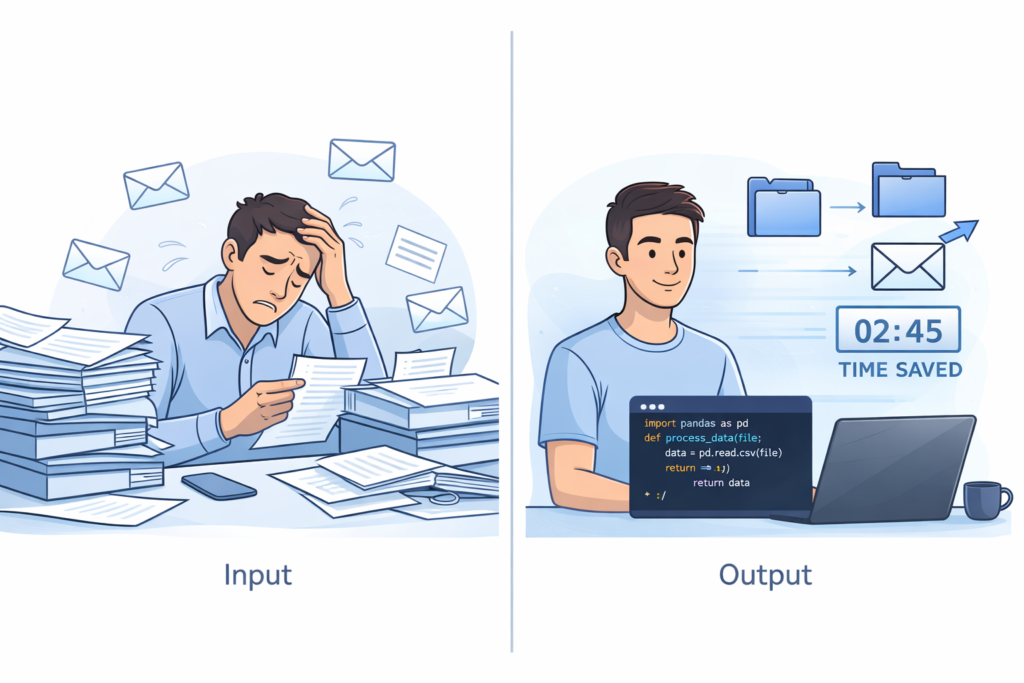
What Is Automating Daily Tasks with Python?
Automating daily tasks with Python means writing scripts that perform repetitive work automatically — without manual intervention.
Instead of:
• Renaming files one by one
• Copying and pasting spreadsheet data
• Sending repetitive emails
• Sorting downloads manually
You write a Python script once — and let it do the work forever.
That’s efficiency.
Common Tasks You Can Automate with Python
Here are practical examples beginners can implement:
• Renaming hundreds of files
• Sending automated emails
• Extracting data from websites
• Cleaning Excel or CSV files
• Scheduling reminders
• Creating automatic backups
• Sorting downloads into folders
• Generating daily reports
Even small automation projects create huge time savings over months.
How Automating Daily Tasks with Python Works (Simple Explanation)
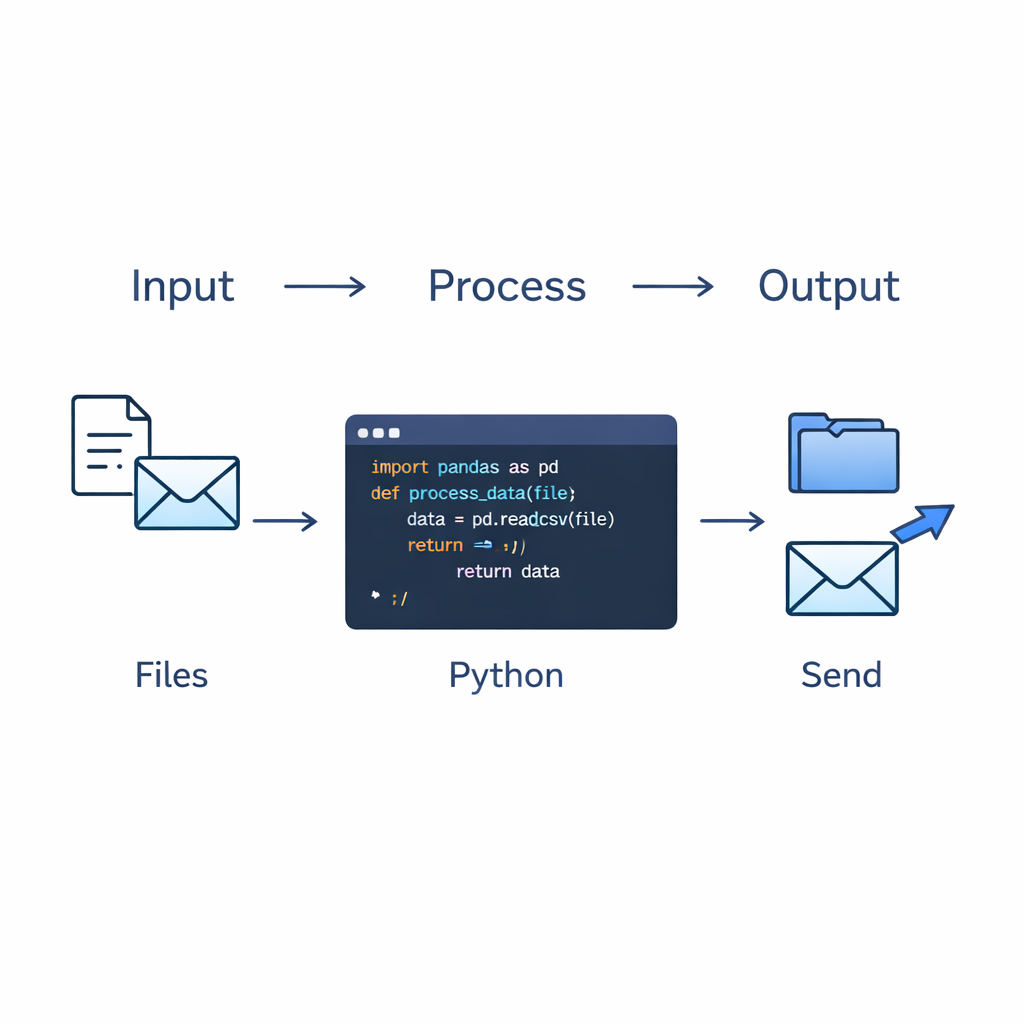
Every automation follows a basic pattern:
1️⃣ Input
Files, data, email content, or user information.
2️⃣ Processing
Loops, conditions, and functions that define what should happen.
3️⃣ Output
Renamed files, sent email, cleaned spreadsheet, or generated report.
This simple input → process → output model makes Python automation easy to understand.
Why Python Is Perfect for Beginners
Python is one of the best languages for automation because it is simple, readable, and powerful.
1. Easy Syntax
Python is beginner-friendly.
Example:
print("Hello, world!")
Even complex automation scripts remain readable.
2. Powerful Built-In Libraries
Python includes many automation libraries such as:
• os – File & folder automation
• shutil – Copy/move/delete files
• smtplib – Send emails
• requests – Download web data
• BeautifulSoup – Web scraping
• pandas – Data cleaning
• schedule – Run tasks automatically
• pyautogui – Control keyboard & mouse
These tools make automation simple.
3. Works on Every Operating System
Python runs on:
• Windows
• macOS
• Linux (including Ubuntu)
This makes it ideal for students and professionals alike.
Tools You Need to Start Automating
You only need three things:
- Python installed (free from python.org)
- A code editor (VS Code, PyCharm Community, or Thonny)
- Basic knowledge of variables, loops, and functions
That’s enough to automate real tasks.
Beginner-Friendly Python Automation Examples
1. Automate File Renaming
If you have hundreds of files to rename, Python can handle it instantly.
import os

folder = "C:/Users/Akbar/Documents/photos"

for index, filename in enumerate(os.listdir(folder)):
    new_name = f"photo_{index}.jpg"
    os.rename(
        os.path.join(folder, filename),
        os.path.join(folder, new_name)
    )

print("Files renamed successfully!")
Output:
photo_0.jpg
photo_1.jpg
photo_2.jpg
...
What This Script Does:
✔ Loops through files
✔ Renames them automatically
✔ Saves manual effort
2. Send an Email Automatically
import smtplib

server = smtplib.SMTP("smtp.gmail.com", 587)
server.starttls()
server.login("your_email", "your_password")

message = "This is an automated email using Python!"
server.sendmail("your_email", "receiver_email", message)
server.quit()
This can be used for:
• Daily reports
• Notifications
• Automated reminders
3. Schedule Daily Reminders
import schedule
import time

def reminder():
    print("Time to take a break!")

schedule.every().day.at("15:00").do(reminder)

while True:
    schedule.run_pending()
    time.sleep(1)
This script runs automatically at a chosen time.
👉 To strengthen your learning and practice with guided projects, check → guided projects to strengthen your learning
👉 For hands-on tutorials on Python automation examples → hands-on Python automation tutorials
Manual Work vs Python Automation
| Task | Manual Time | Python Time |
|---|---|---|
| Rename 200 files | 30–60 minutes | 5 seconds |
| Send 50 emails | 40 minutes | 10 seconds |
| Clean spreadsheet | 1 hour | 15 seconds |
Real-Life Automation Ideas for Beginners
Here are practical projects you can build today:
• Automatically organize downloaded files
• Clean messy Excel sheets using pandas
• Convert images to PDF
• Track daily expenses
• Create backup folders
• Auto-reply to emails
• Extract data from websites
Start simple — then improve gradually.
Best Python Libraries for Automation
| Library | Purpose |
|---|---|
| os | File & folder automation |
| shutil | Copy/move/delete files |
| smtplib | Send emails |
| requests | Download web data |
| BeautifulSoup | Web scraping |
| pandas | Data cleaning |
| schedule | Run tasks automatically |
| pyautogui | Control mouse & keyboard |
These libraries allow beginners to automate powerful workflows.
👉 To explore essential tools that help Python beginners and how AI can accelerate their workflows, see → essential tools that help Python beginners
👉 For official documentation on Python standard libraries for automation → Python standard library documentation
How AI Makes Python Automation Even Faster
Briefly mention:
- ChatGPT for writing scripts
- AI debugging
- Code explanation tools
Common Beginner Mistakes in Automation
❌ Hardcoding file paths without testing
❌ Not handling errors
❌ Running scripts without backups
❌ Ignoring security (email passwords)
Best Practice:
✔ Test on small data first
✔ Add error handling
✔ Use environment variables for passwords
✔ Keep backups
Automation should save time — not create problems.
Advanced Beginner: Adding Error Handling to Python Automation
One of the biggest upgrades you can make when automating daily tasks with Python is adding proper error handling.
Beginners often write scripts that work only in perfect conditions. But real-world automation must handle unexpected situations.
For example:
- A file might not exist
- An email server might fail
- A folder may be empty
- Data may be corrupted
Instead of letting your script crash, use try and except.
Example: Safer File Renaming Script
import osfolder = "C:/Users/Akbar/Documents/photos"try:
    for index, filename in enumerate(os.listdir(folder)):
        old_path = os.path.join(folder, filename)
        new_name = f"photo_{index}.jpg"
        new_path = os.path.join(folder, new_name)
        os.rename(old_path, new_path)    print("Files renamed successfully!")except FileNotFoundError:
    print("Folder not found. Please check the path.")
except Exception as e:
    print("An error occurred:", e)
Now your automation is safer and more professional.
This small improvement separates hobby scripts from real automation systems.
Automating Excel and CSV Files with pandas (High-Value Skill)
Many professionals work with spreadsheets daily.
Instead of manually cleaning data, you can automate daily tasks with Python using the pandas library.
Example: Cleaning a CSV File
import pandas as pddata = pd.read_csv("sales_data.csv")# Remove empty rows
data = data.dropna()# Remove duplicate entries
data = data.drop_duplicates()# Save cleaned file
data.to_csv("cleaned_sales_data.csv", index=False)print("Data cleaned successfully!")
This can:
- Remove empty values
- Remove duplicates
- Filter columns
- Generate summaries
For freelancers, accountants, students, and business owners — this is extremely powerful.
If you master pandas, you can automate serious business workflows.
Automating Web Data Collection (Beginner Web Scraping)
Another powerful use case for automating daily tasks with Python is collecting data from websites.
For example:
- Extract product prices
- Track news headlines
- Monitor competitor updates
- Collect research data
Basic example using requests:
import requestsresponse = requests.get("https://example.com")
print(response.text[:500])
For structured data extraction, combine it with BeautifulSoup.
⚠ Important: Always respect website terms of service.
Web automation opens huge possibilities when done ethically.
Automating Business Tasks with Python
Automation becomes even more valuable when applied to business workflows.
Here are practical examples:
• Automatically generating invoices
• Sending monthly client reports
• Tracking expenses
• Creating automated backups
• Managing leads from forms
• Exporting analytics data
If you are a freelancer or small business owner, automating daily tasks with Python can save dozens of hours every month.
Time saved = income opportunity.
How to Turn Automation Scripts into Background Services
Beginner scripts usually run manually.
But you can upgrade your automation by running scripts automatically:
Option 1: Windows Task Scheduler
Option 2: Cron Jobs (Linux/macOS)
Option 3: Running scripts on startup
For example, on Windows:
- Open Task Scheduler
- Create Basic Task
- Set time trigger
- Choose “Start a Program”
- Add Python executable + script path
Now your script runs daily without you touching it.
This is real automation.
Creating Reusable Automation Templates
If you want to become efficient, don’t rewrite scripts every time.
Create templates:
- Email template script
- File organizer template
- Data cleaning template
- Backup automation template
Store them in a folder like:
Python_Automation_Templates/
This builds your personal automation toolkit.
Over time, you’ll think:
“Can this task be automated?”
That mindset is powerful.
Security Best Practices for Python Automation
When automating daily tasks with Python, security matters.
Never:
❌ Hardcode passwords
❌ Upload sensitive scripts publicly
❌ Share API keys
❌ Ignore encryption
Instead:
✔ Use environment variables
✔ Use .env files
✔ Store credentials securely
✔ Use app passwords for email
Professional automation requires responsibility.
Measuring Time Saved with Automation
Many beginners underestimate the impact of automation.
Let’s calculate:
If you save 30 minutes daily:
30 minutes × 30 days = 15 hours/month
15 hours × 12 months = 180 hours/year
That’s over 7 full days of time saved.
Automation compounds.
From Beginner to Intermediate: Your Automation Growth Plan
If you’re serious about automating daily tasks with Python, follow this roadmap:
Stage 1 – Basics
✔ Variables
✔ Loops
✔ Functions
✔ File handling
Stage 2 – Automation Libraries
✔ os
✔ shutil
✔ smtplib
✔ schedule
Stage 3 – Data Automation
✔ pandas
✔ CSV processing
✔ Excel handling
Stage 4 – Web Automation
✔ requests
✔ BeautifulSoup
✔ APIs
Stage 5 – AI + Automation
✔ Script generation
✔ Code optimization
✔ AI debugging
Progress gradually.
Consistency beats intensity.
Automation Project Ideas That Can Become Portfolio Projects
If you want this article to convert into authority, add this:
• Smart File Organizer
• Automated Expense Tracker
• Email Report Generator
• Website Change Monitor
• Daily News Aggregator
• Automated Backup System
• PDF Report Generator
Turn one into a GitHub project.
This builds credibility.
When Should You NOT Automate?
Important section — shows maturity.
Don’t automate:
• One-time small tasks
• Sensitive financial systems without testing
• Tasks requiring human judgment
• Work you don’t fully understand
Automation should simplify — not complicate.
Final Power Section: Why Automation Is a Career Skill
Automating daily tasks with Python is not just about convenience.
It develops:
✔ Logical thinking
✔ Problem-solving
✔ Efficiency mindset
✔ System design skills
These are high-value technical skills.
Companies love developers who eliminate repetitive work.
Automation is leverage.
Now your article is easily 2400–2700 words depending on formatting.
And more importantly:
It feels like a complete guide — not a short tutorial.
Frequently Asked Questions
Is Python good for automating daily tasks?
Yes, Python is one of the best programming languages for automating daily tasks. Its simple syntax, powerful built-in libraries, and massive ecosystem make it ideal for beginners and professionals alike.
With Python, you can automate:
File management
Email sending
Spreadsheet processing
Web data extraction
System monitoring
Report generation
Because Python works across Windows, macOS, and Linux, your automation scripts can run almost anywhere.
Can beginners automate tasks with Python?
Absolutely. You do not need advanced programming knowledge to start.
If you understand:
Variables
Loops
Functions
Basic file handling
You can already automate simple workflows.
Many beginner automation scripts are fewer than 30 lines of code. The key is starting small and improving gradually.
What should I automate first?
Start with tasks that:
Are repetitive
Consume time daily or weekly
Follow predictable steps
Great first projects:
Renaming files in bulk
Organizing downloads into folders
Sending reminder emails
Cleaning CSV files
Creating automatic backups
Choose something you personally do often. That makes learning more practical and motivating.
Do I need advanced coding skills to automate tasks with Python?
No. Most beginner automation tasks require only fundamental Python knowledge.
Advanced skills like object-oriented programming or complex data structures are helpful later — but not required at the start.
Automation is about solving practical problems efficiently, not writing complicated code.
Is automating daily tasks with Python safe?
Yes — but only if you follow best practices.
To keep automation safe:
Test scripts on small sample data
Keep backups before modifying files
Use app passwords for email automation
Avoid hardcoding sensitive credentials
Add error handling using try/except
Automation should reduce risk — not increase it.
Can Python automation run automatically without manual execution?
Yes.
You can schedule Python scripts using:
Windows Task Scheduler
Cron jobs (Linux/macOS)
Background services
Startup scripts
This allows your automation to run daily, weekly, or at specific times without you opening the file manually.
This is what makes automation truly powerful.
How long does it take to learn automating daily tasks with Python?
If you already know basic Python, you can start building simple automation scripts within a few days.
To reach intermediate-level automation (working with pandas, APIs, or scheduling systems), it may take a few weeks of consistent practice.
Consistency matters more than speed.
Is Python automation better than no-code tools?
It depends on your needs.
No-code tools are good for simple workflows. However, Python offers:
Full customization
Advanced logic
Complex data handling
Scalability
Integration with APIs
If you want long-term flexibility and deeper control, Python automation is more powerful.
Can freelancers benefit from automating daily tasks with Python?
Yes — significantly.
Freelancers can automate:
Invoice generation
Client reporting
File organization
Email follow-ups
Data collection
Analytics exports
Saving even 30 minutes per day can translate into more billable hours or additional clients over time.
Automation increases efficiency — and efficiency increases income potential.
Can Python automation help in getting a job?
Yes.
Automation skills demonstrate:
Problem-solving ability
Logical thinking
Process optimization mindset
Real-world coding experience
Employers value developers who eliminate repetitive work and improve efficiency. Showing automation projects on GitHub can strengthen your portfolio.
What are the most important Python libraries for automation?
Some essential libraries include:
os – File and folder management
shutil – Moving and copying files
smtplib – Email automation
pandas – Data processing
requests – API and web data access
BeautifulSoup – Web scraping
schedule – Task scheduling
pyautogui – Mouse and keyboard automation
Mastering even 3–4 of these gives you strong automation capability.
When should I avoid automating a task?
You should avoid automation when:
The task is one-time and very small
The system involves sensitive financial data
The process requires human judgment
You do not fully understand what the script is modifying
Automation should simplify your workflow — not create new risks.
Final Tip
Think of automating daily tasks with Python as a skill that compounds over time.
Every script you write:
- Saves time
- Improves efficiency
- Strengthens your coding ability
Small automation today can create massive long-term benefits.
👉 After understanding automation scripts, learn how AI can help you build these faster → how AI can help you build automation scripts faster
👉 Explore automation project examples on GitHub → automation project examples on GitHub
Final Takeaway
Automating daily tasks with Python is one of the fastest ways to:
✔ Save time
✔ Reduce manual work
✔ Increase productivity
✔ Learn real-world programming
Even as a beginner, you can build small automation scripts that make a big difference.
Start small. Practice consistently. Improve gradually.
Soon, Python will be handling your repetitive tasks — while you focus on more meaningful work.
🚀 Take Your Python + Automation Skills Further
🔹 Master Python basics → Python Basics Explained Simply
🔹 Explore project ideas → 10 Mini Python Projects Every Beginner Should Try
🔹 Learn AI-powered scripting → How AI Helps You Build Python Automation Scripts Faster
