Introduction
From Raw Text to Machine Understanding
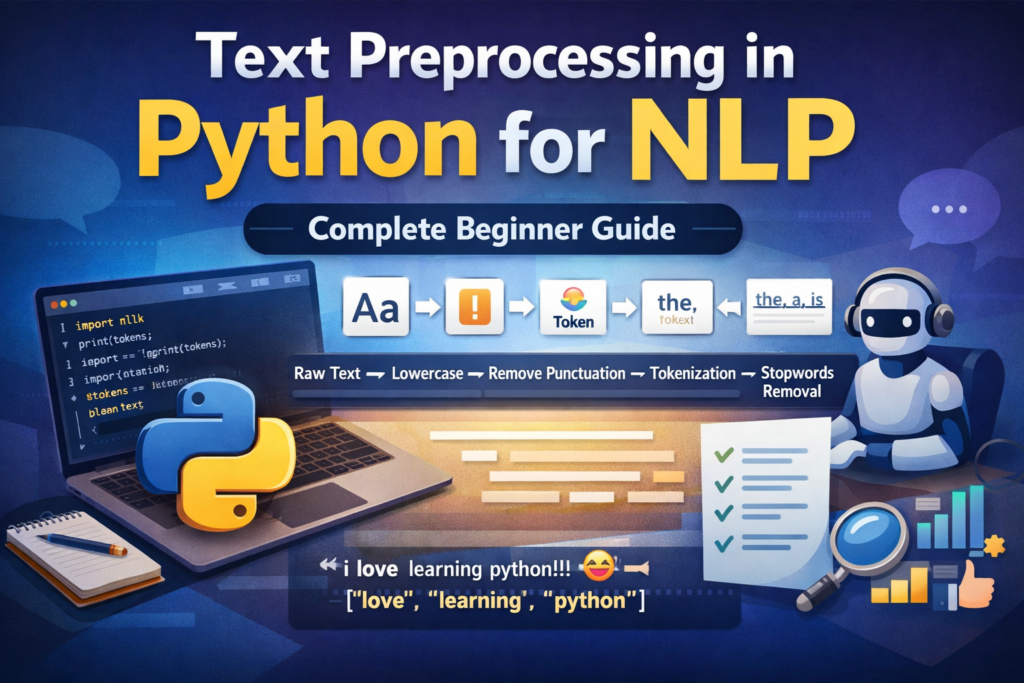
Human language is rich, flexible, and often messy. We use punctuation, abbreviations, emojis, slang, and many variations of words. Humans understand these patterns naturally, but computers cannot process raw text in the same way.
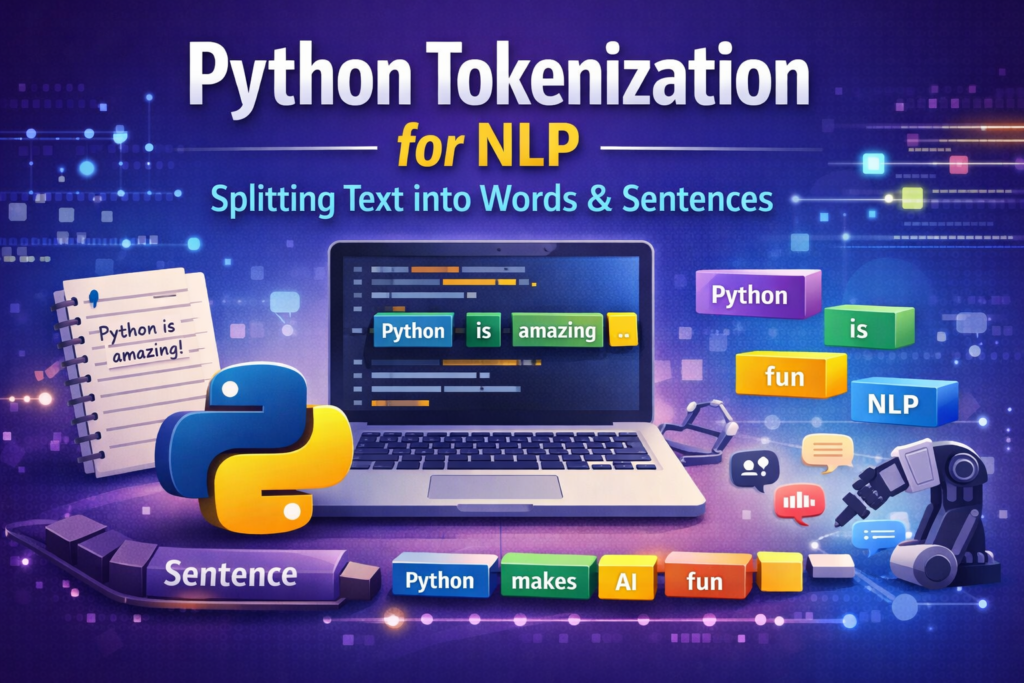
Python tokenization for NLP is one of the most important techniques used to prepare text data for natural language processing tasks such as sentiment analysis, chatbots, and search engines.
Before any machine learning model can understand language, the text must be broken down into smaller pieces that a computer can process. This step is called tokenization, and it is one of the most important stages in Natural Language Processing (NLP).
If you have ever built a chatbot, text analyzer, sentiment analysis system, or search engine, tokenization is almost always the first step in the NLP pipeline.
In simple terms, tokenization converts a block of text into smaller components such as:
- sentences
- words
- subwords
These smaller pieces are called tokens.
For example:
Input text:
Python is amazing. It powers AI applications.After tokenization:
["Python", "is", "amazing", ".", "It", "powers", "AI", "applications", "."]
Now a machine learning model can begin analyzing the structure and meaning of the text.
Tokenization is used in many real-world applications including:
- chatbots and virtual assistants
- search engines like Google
- sentiment analysis systems
- machine translation tools
- spam detection systems
Without tokenization, computers would struggle to interpret human language effectively.
In this beginner-friendly guide, you will learn:
- what tokenization means in NLP
- the difference between sentence and word tokenization
- how to perform tokenization in Python
- how libraries like NLTK and spaCy handle tokenization
- how modern AI models use subword tokenization
By the end of this tutorial, you will also build a simple tokenization pipeline in Python that converts raw text into clean tokens ready for NLP tasks.
Tokenization is one of the first steps used in many text preprocessing techniques in Python before training NLP models.

Core Concepts
Tokens, Types, and Vocabulary Explained
Before writing Python code, it’s important to understand a few core ideas used in tokenization.
What Is a Token?
A token is a small unit of text extracted from a larger text.
Depending on the type of tokenization, tokens may represent:
- words
- sentences
- characters
- subwords
For example:
Sentence:
I love Python programming.
Word tokens:
["I", "love", "Python", "programming", "."]
Sentence tokens:
["I love Python programming."]
Each item in the list is called a token.
Token vs Word vs Character
Many beginners assume tokens always mean words, but that is not always true.
Tokenization can occur at different levels.
| Level | Example |
|---|---|
| Sentence | “Python is fun.” |
| Word | “Python”, “is”, “fun” |
| Character | “P”, “y”, “t”, “h”, “o”, “n” |
Most NLP applications rely on word-level tokenization, but sentence-level tokenization is also very common.
Sentence Tokenization vs Word Tokenization
Two types of tokenization are used frequently in NLP.
Sentence tokenization
This splits text into sentences.
Example:
Python is powerful. It is easy to learn.
Output:
["Python is powerful.", "It is easy to learn."]
Word tokenization
This splits sentences into words.
Example:
Python is powerful
Output:
["Python", "is", "powerful"]
Typically, an NLP pipeline first performs sentence tokenization, followed by word tokenization.

Why Tokenization Is Tricky
Tokenization may look simple, but real-world language creates challenges.
For example:
Don't panic!
A tokenizer may produce:
["Do", "n't", "panic", "!"]
Contractions like don’t, I’m, and can’t must be handled carefully.
Another example:
Dr. Smith moved to Washington, D.C. last year.
A naive tokenizer might mistakenly split the sentence after Dr. or D.C.
Good tokenizers are designed to handle these cases.
Preview: Subword Tokenization
Modern AI models like BERT and GPT use subword tokenization, which breaks words into smaller units.
Example:
unbelievable → ["un", "believ", "able"]
This approach helps models understand rare or unseen words.
We will explore this concept later in the article.
Environment Setup
Preparing Your Python NLP Environment
Before performing tokenization, we need to install a few Python libraries.
Two popular NLP libraries are:
- NLTK (Natural Language Toolkit)
- spaCy
Both provide powerful tokenization tools.
Installing Required Libraries
Open your terminal and run:
pip install nltk
pip install spacy
pip install transformers
These libraries will allow us to perform:
- sentence tokenization
- word tokenization
- advanced subword tokenization
Downloading spaCy Language Model
spaCy requires a language model.
Run this command:
import spacy
spacy.cli.download("en_core_web_sm")
This downloads a small English language model used for tokenization and other NLP tasks.
Downloading NLTK Data
NLTK also requires additional datasets.
Run:
import nltknltk.download('punkt')
nltk.download('stopwords')
The punkt dataset contains sentence tokenization rules.
Quick Setup Test
Let’s verify that everything works correctly.
import nltk
import spacyfrom nltk.tokenize import word_tokenizetext = "Python is an amazing programming language."tokens = word_tokenize(text)print(tokens)
Output:
['Python', 'is', 'an', 'amazing', 'programming', 'language', '.']
If you see this result, your environment is ready.
Sentence Tokenization
Splitting Paragraphs into Sentences
Sentence tokenization is the process of dividing a paragraph into individual sentences.
Although humans can easily identify sentence boundaries, computers need rules and algorithms to do this accurately.
Consider this paragraph:
Python is popular. It is widely used in AI. Many beginners start with Python.
Sentence tokenization produces:
[
"Python is popular.",
"It is widely used in AI.",
"Many beginners start with Python."
]
Sentence Tokenization Using NLTK
NLTK provides a function called sent_tokenize().
Example:
from nltk.tokenize import sent_tokenizetext = "Python is powerful. It is easy to learn. Developers love it."sentences = sent_tokenize(text)print(sentences)
Output:
[
"Python is powerful.",
"It is easy to learn.",
"Developers love it."
]
NLTK uses an algorithm called Punkt Sentence Tokenizer, which is trained to detect sentence boundaries.
Sentence Tokenization Using spaCy
spaCy also provides sentence detection.
Example:
import spacynlp = spacy.load("en_core_web_sm")text = "Python is powerful. It is easy to learn."doc = nlp(text)for sent in doc.sents:
    print(sent.text)
Output:
Python is powerful.
It is easy to learn.
spaCy combines rules and statistical models to detect sentence boundaries.
Edge Case Example
Sentence tokenization becomes tricky in cases like this:
Dr. Smith moved to Washington, D.C. last year.
A naive tokenizer might split the sentence incorrectly:
["Dr.", "Smith moved to Washington, D.C.", "last year."]
Advanced tokenizers like NLTK and spaCy handle these cases better.
Practice Exercise
Try this example in Python:
Artificial intelligence is transforming industries. Python plays a key role in AI development. Many developers rely on Python for machine learning.
Your goal:
Convert this paragraph into a list of sentences.
Python Tokenization for NLP: Splitting Sentences into Words
Splitting Sentences into Words
Once text has been divided into sentences, the next step is word tokenization.
When performing Python tokenization for NLP, developers usually rely on libraries such as NLTK, spaCy, or Hugging Face tokenizers. These tools simplify the process of splitting text into tokens and preparing it for machine learning models.
Word tokenization splits sentences into individual words or tokens. These tokens become the foundation for most Natural Language Processing tasks.
For example:
Python is one of the most popular programming languages.
Word tokenization produces:
["Python", "is", "one", "of", "the", "most", "popular", "programming", "languages", "."]
Notice that punctuation marks like “.” are also treated as tokens. Some NLP systems keep punctuation, while others remove it during preprocessing.
In Python, there are several ways to perform word tokenization. The most common approaches include:
- Python built-in methods
- NLTK tokenizer
- spaCy tokenizer
Each method has different strengths depending on your project.
Method 1: Python Built-in Split Method
The simplest way to tokenize text in Python is using the split() function.
Example:
text = "Python makes AI development easier"tokens = text.split()print(tokens)
Output:
['Python', 'makes', 'AI', 'development', 'easier']
This method works by splitting text wherever it finds a space.
Advantages
- extremely simple
- very fast
- no external libraries required
Limitations
The split method has serious limitations.
Example:
text = "Python is amazing!"
print(text.split())
Output:
['Python', 'is', 'amazing!']
The punctuation “!” remains attached to the word. A proper tokenizer would separate it.
Because of this limitation, the split method is mainly used for:
- quick scripts
- simple experiments
- early-stage prototypes
For real NLP tasks, specialized libraries like NLTK or spaCy work much better.
Method 2: Word Tokenization Using NLTK
NLTK provides a more advanced tokenizer called word_tokenize().
This tokenizer understands many rules of English grammar, including punctuation and contractions.
Example:
from nltk.tokenize import word_tokenizetext = "Python makes AI development easier!"tokens = word_tokenize(text)print(tokens)
Output:
['Python', 'makes', 'AI', 'development', 'easier', '!']
Now the punctuation is separated correctly.
Handling Contractions
NLTK also handles contractions intelligently.
Example:
text = "I don't like slow programs"tokens = word_tokenize(text)print(tokens)
Output:
['I', 'do', "n't", 'like', 'slow', 'programs']
Here, the word don’t is split into two tokens:
do + n't
This behavior helps NLP models understand grammatical structures.
When to Use NLTK Tokenizer
NLTK is ideal when:
- learning NLP fundamentals
- building educational projects
- experimenting with language processing
It is widely used in NLP tutorials and academic environments.
However, modern NLP production systems often rely on spaCy, which is faster and more scalable.
Method 3: Word Tokenization Using spaCy
spaCy is one of the most powerful NLP libraries available in Python.
It provides an advanced tokenizer that understands linguistic structures.
Example:
import spacynlp = spacy.load("en_core_web_sm")text = "Python makes AI development easier!"doc = nlp(text)tokens = [token.text for token in doc]print(tokens)Output:
['Python', 'makes', 'AI', 'development', 'easier', '!']
The output is similar to NLTK, but spaCy tokens contain additional linguistic information.
For example:
for token in doc:
    print(token.text, token.pos_)
Output:
Python PROPN
makes VERB
AI PROPN
development NOUN
easier ADJ
! PUNCT
Each token now includes a part-of-speech tag, which can be useful for deeper NLP analysis.
You can learn more about advanced tokenization features in the spaCy official documentation.
Comparing Tokenization Methods
Here is a quick comparison of the three approaches.
| Method | Accuracy | Speed | Use Case |
|---|---|---|---|
| split() | Low | Very Fast | Simple scripts |
| NLTK | Medium | Moderate | Learning NLP |
| spaCy | High | Fast | Real NLP projects |
For most practical NLP systems, spaCy is often the preferred choice.
Cleaning and Preprocessing Tokens
Preparing Tokens for NLP Models
After tokenization, the tokens usually need additional cleaning before they can be used in machine learning models.
Raw tokens often include unnecessary elements such as:
- punctuation
- stopwords
- inconsistent capitalization
Cleaning tokens improves the quality of NLP models.
Common preprocessing steps include:
- Removing stopwords
- Removing punctuation
- Lowercasing words
- Normalizing text
Let’s explore these steps.
Removing Stopwords
Stopwords are very common words that often carry little meaning in text analysis.
Examples include:
the
is
and
in
of
to
These words appear frequently but do not usually add useful information for machine learning models.
NLTK provides a built-in list of English stopwords.
Example:
from nltk.corpus import stopwordsstop_words = set(stopwords.words("english"))tokens = ["Python", "is", "a", "very", "powerful", "language"]filtered_tokens = [word for word in tokens if word.lower() not in stop_words]print(filtered_tokens)Output:
['Python', 'powerful', 'language']
The stopwords is, a, and very were removed.
Removing Punctuation
Punctuation tokens can also be removed during preprocessing.
Example tokens:
["Python", "is", "powerful", "."]
One approach is to use regular expressions.
Example:
import retokens = ["Python", "is", "powerful", "."]clean_tokens = [word for word in tokens if re.match(r'\w+', word)]print(clean_tokens)
Output:
['Python', 'is', 'powerful']
If you are using spaCy, punctuation detection becomes even easier.
Example:
clean_tokens = [token.text for token in doc if not token.is_punct]
spaCy automatically identifies punctuation tokens.
Lowercasing Tokens
Another common preprocessing step is converting tokens to lowercase.
Example:
["Python", "AI", "Machine", "Learning"]
After normalization:
["python", "ai", "machine", "learning"]
Example code:
tokens = ["Python", "AI", "Machine", "Learning"]lower_tokens = [word.lower() for word in tokens]print(lower_tokens)
Lowercasing ensures that Python and python are treated as the same token.
A Simple Token Cleaning Function
To make token preprocessing reusable, we can create a helper function.
Example:
from nltk.corpus import stopwords
import restop_words = set(stopwords.words("english"))def clean_tokens(tokens):    cleaned = []    for word in tokens:        word = word.lower()        if word not in stop_words and re.match(r'\w+', word):
            cleaned.append(word)    return cleaned
Example usage:
tokens = ["Python", "is", "a", "powerful", "language", "!"]print(clean_tokens(tokens))
Output:
['python', 'powerful', 'language']
This function performs three tasks:
- lowercasing
- removing stopwords
- removing punctuation
Such cleaning steps are commonly used before training NLP models.
Why Token Cleaning Matters
Preprocessing improves the quality of text analysis.
For example, consider this raw token list:
["Python", "is", "a", "very", "powerful", "programming", "language", "!"]
After cleaning:
["python", "powerful", "programming", "language"]
Now the remaining tokens contain the core meaning of the sentence.
Machine learning models perform better when trained on cleaner data.
Mini Project
Build a Simple Python Tokenization Pipeline
Now that you understand sentence tokenization, word tokenization, and token cleaning, let’s combine everything into a small practical NLP pipeline.
Tokenization is commonly used in real-world projects such as this AI text analysis project built with Python, where text must first be cleaned and tokenized before analysis.
The goal of this project is simple:
Convert raw text into clean tokens ready for analysis.
We will perform the following steps:
- Sentence tokenization
- Word tokenization
- Remove stopwords
- Remove punctuation
- Normalize text (lowercase)
Step 1: Input Text
Let’s start with a short paragraph.
text = """
Python is amazing. It powers AI, automation, and data science.
Many developers choose Python because it is simple and powerful.
"""
This text contains multiple sentences, punctuation, and common stopwords.
Step 2: Sentence Tokenization
First, we split the paragraph into sentences.
from nltk.tokenize import sent_tokenizesentences = sent_tokenize(text)print(sentences)
Output:
[
'Python is amazing.',
'It powers AI, automation, and data science.',
'Many developers choose Python because it is simple and powerful.'
]
Each sentence can now be processed individually.
Step 3: Word Tokenization
Next, we tokenize each sentence into words.
from nltk.tokenize import word_tokenizetokens = []for sentence in sentences:
    tokens.extend(word_tokenize(sentence))print(tokens)
Output:
[
'Python', 'is', 'amazing', '.',
'It', 'powers', 'AI', ',', 'automation', ',', 'and', 'data', 'science', '.',
'Many', 'developers', 'choose', 'Python', 'because', 'it', 'is', 'simple', 'and', 'powerful', '.'
]
This list contains all tokens from the paragraph.
Step 4: Remove Stopwords
Now we remove common stopwords.
from nltk.corpus import stopwordsstop_words = set(stopwords.words("english"))filtered_tokens = [word for word in tokens if word.lower() not in stop_words]print(filtered_tokens)Output:
[
'Python', 'amazing', '.', 'powers', 'AI', ',', 'automation',
',', 'data', 'science', '.', 'Many', 'developers', 'choose',
'Python', 'simple', 'powerful', '.'
]
Stopwords such as is, and, and because are removed.
Step 5: Remove Punctuation
Next, we remove punctuation tokens.
import reclean_tokens = [word.lower() for word in filtered_tokens if re.match(r'\w+', word)]print(clean_tokens)
Final output:
['python', 'amazing', 'powers', 'ai', 'automation', 'data', 'science', 'many', 'developers', 'choose', 'python', 'simple', 'powerful']
Now the tokens contain only meaningful words.
These cleaned tokens can be used for:
- sentiment analysis
- text classification
- keyword extraction
- topic modeling
This simple pipeline demonstrates how tokenization works in real NLP workflows.

Advanced Topic
Subword Tokenization in Modern AI Models
Traditional tokenization splits text into words. However, modern AI models often use a more advanced technique called subword tokenization.
Subword tokenization breaks words into smaller meaningful units.
Example:
unbelievable → ["un", "believ", "able"]
This approach helps NLP models handle rare or unknown words.
Modern NLP models often rely on subword tokenization methods provided by the Hugging Face tokenizer documentation.
Why Subword Tokenization Is Needed
Imagine a model trained on the word play but encountering playing, played, or player.
A word-based tokenizer might treat each as completely different words.
Subword tokenization solves this by splitting words into reusable pieces.
Example:
playing → ["play", "ing"]
player → ["play", "er"]
This allows models to understand relationships between words.
Common Subword Tokenization Methods
Several algorithms are used for subword tokenization.
Byte Pair Encoding (BPE)
BPE is used in many modern language models.
Examples include:
- GPT models
- RoBERTa
BPE works by merging frequently occurring character pairs.
WordPiece
WordPiece is used in BERT models.
Example:
unbelievable → ["un", "##believable"]
The prefix ## indicates that the token continues from the previous token.
SentencePiece
SentencePiece is used in models like:
- T5
- ALBERT
It treats text as a sequence of characters and learns subword units automatically.
Example Using Hugging Face Tokenizer
Let’s try subword tokenization using the Hugging Face Transformers library.
Example:
from transformers import AutoTokenizertokenizer = AutoTokenizer.from_pretrained("bert-base-uncased")text = "Tokenization helps AI understand language."tokens = tokenizer.tokenize(text)print(tokens)Output might look like:
['token', '##ization', 'helps', 'ai', 'understand', 'language', '.']
Notice how tokenization is split into:
token + ##ization
This helps AI models process words they may not have seen during training.
Common Beginner Mistakes
Tokenization Pitfalls to Avoid
Many beginners make similar mistakes when learning tokenization. Avoiding these issues will save you time and frustration.
Forgetting to Download NLTK Data
One common error occurs when developers forget to download NLTK resources.
Example error:
LookupError: Resource punkt not found
Solution:
import nltk
nltk.download('punkt')
Treating spaCy Tokens as Strings
spaCy tokens are objects, not simple strings.
Example:
token.text
Instead of:
token
Accessing token attributes properly allows you to use additional linguistic features.
Tokenizing Words Before Sentences
Some beginners directly tokenize paragraphs into words without first splitting sentences.
Correct NLP workflow:
Paragraph
↓
Sentence Tokenization
↓
Word Tokenization
This structure preserves sentence boundaries.
Ignoring Language Differences
Tokenizers trained for English may perform poorly on other languages.
For multilingual NLP tasks, consider using:
- multilingual spaCy models
- multilingual BERT tokenizers
Over-Cleaning Tokens
Removing too many tokens can destroy useful information.
Example:
"I love Python"
If stopwords are removed incorrectly, you might lose meaningful context.
Always clean tokens carefully.
Summary
Key Takeaways
Tokenization is one of the most fundamental steps in Natural Language Processing.
It converts raw text into smaller components that machines can analyze.
In this guide, we covered several important concepts.
What You Learned
Tokenization splits text into smaller units called tokens.
There are two common types of tokenization:
- sentence tokenization
- word tokenization
Python provides multiple tools for tokenization, including:
- Python built-in methods
- NLTK
- spaCy
We also explored how tokens are cleaned by:
- removing stopwords
- removing punctuation
- converting text to lowercase
Finally, we discussed subword tokenization, which powers modern AI models such as BERT and GPT.
Learning Python tokenization for NLP is the first step toward building powerful natural language processing applications.
Quick Cheat Sheet
| Task | Python Tool |
|---|---|
| Sentence tokenization | NLTK sent_tokenize |
| Word tokenization | NLTK word_tokenize |
| Advanced NLP tokenization | spaCy |
| Subword tokenization | Hugging Face tokenizer |
| Stopword removal | NLTK stopwords |
What to Learn Next
Tokenization is only the first step in an NLP pipeline.
After tokenization, the next techniques you should learn include:
- Stemming
- Lemmatization
- Part-of-Speech Tagging
- Named Entity Recognition
- Sentiment Analysis
These methods help machines understand grammar, context, and meaning within text.
Final Thoughts
Tokenization may look simple at first, but it plays a crucial role in every NLP system.
Whether you’re building a chatbot, training a text classification model, or analyzing social media data, tokenization prepares text for deeper analysis.
Python libraries like NLTK, spaCy, and Hugging Face Transformers make tokenization easy to implement, even for beginners.
Once you master tokenization, you will be ready to explore more advanced NLP techniques and build real-world AI applications.
Frequently Asked Questions (FAQ)
What is tokenization in NLP?
Tokenization is the process of breaking text into smaller units called tokens. These tokens can represent sentences, words, or subwords that natural language processing models use to analyze text.
How do you perform tokenization in Python?
Tokenization in Python can be done using libraries such as NLTK, spaCy, or Hugging Face Transformers. These tools provide functions for sentence tokenization, word tokenization, and advanced subword tokenization.
What is the difference between sentence tokenization and word tokenization?
Sentence tokenization splits a paragraph into individual sentences, while word tokenization breaks each sentence into smaller tokens such as words and punctuation.
Which Python library is best for tokenization?
NLTK is excellent for learning NLP concepts, while spaCy is faster and more suitable for real-world applications. Modern AI systems often use Hugging Face tokenizers for subword tokenization.
Why is tokenization important in NLP?
Tokenization prepares raw text for machine learning models. Without tokenization, computers cannot effectively analyze language or perform tasks like sentiment analysis, translation, or chatbot responses.