Introduction: Why AI Coding Assistants Dominate Software Development in 2026
In 2026, AI coding assistants are no longer optional productivity tools — they are competitive advantages.
Developers who integrate AI into their workflow ship features faster, debug smarter, and learn new technologies in days instead of months.
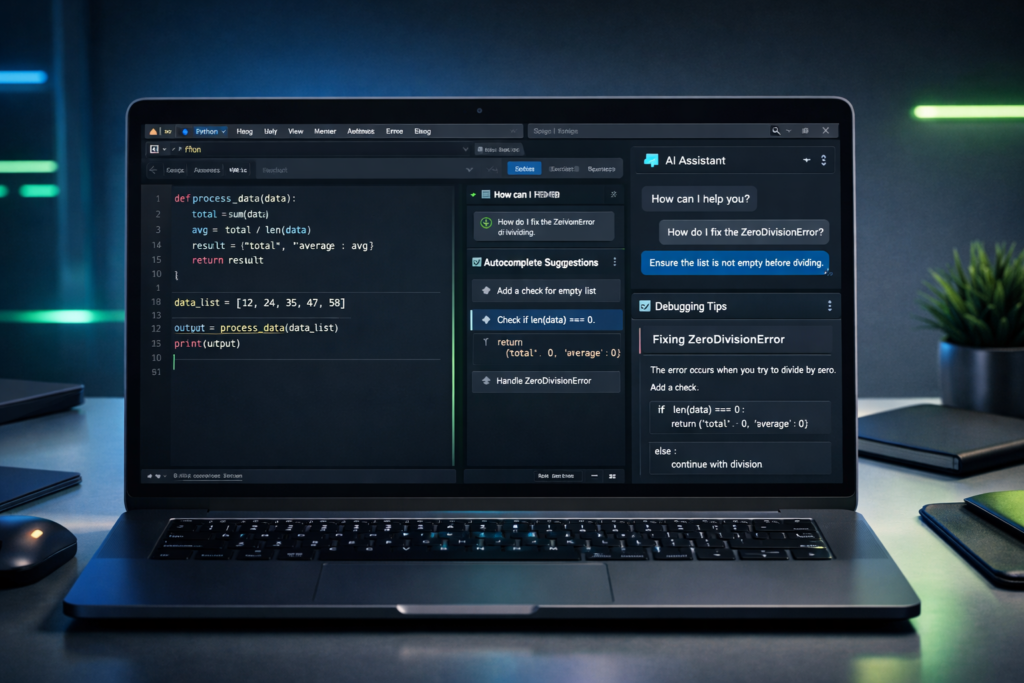
From generating full backend APIs to refactoring complex codebases, AI assistants now operate as real-time development partners.
If you’re serious about accelerating your programming career, understanding which AI coding assistant fits your workflow is critical.
👉 If you want to see how AI fits into the bigger learning journey, check out this complete Python roadmap with AI integration.
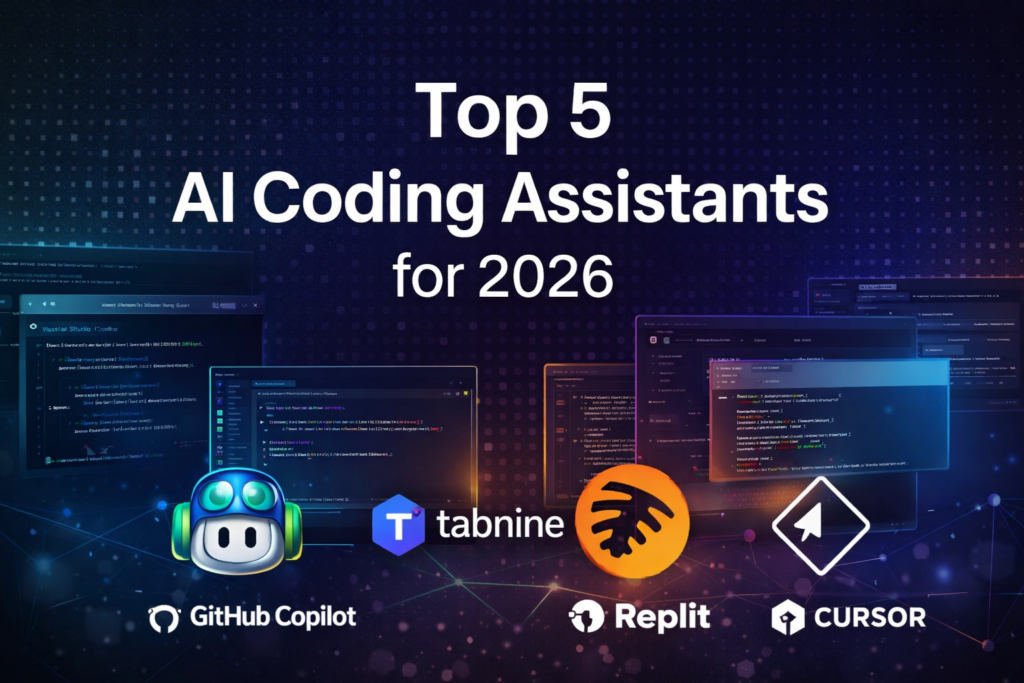
Below are the top AI coding assistants leading the software development industry in 2026.
If you’re looking for a complete roadmap, check out this ultimate guide on AI tools for learning programming.
1. GitHub Copilot – Best Overall AI Coding Assistant

Developed in collaboration with OpenAI, GitHub Copilot remains the most widely adopted AI coding assistant in 2026.
It generates full functions, APIs, database queries, unit tests, and complex logic in real time.
Example
Prompt:
“Create a Python function that validates email addresses.”
Copilot instantly generates a working function using regex, including error handling.
Key Features
- Natural language → working code
- Multi-language support
- Deep IDE integration
- Strong contextual awareness
Best For: Beginners to professional developers
import re

def validate_email(email):
    pattern = r'^[\w\.-]+@[\w\.-]+\.\w+$'
    return re.match(pattern, email) is not None
Copilot generates this function instantly from a simple natural language prompt.
👉 GitHub Copilot official documentation
2. Tabnine – Best for Privacy & Secure Development

Tabnine focuses on privacy-first AI development with local model deployment and enterprise-grade security.
Key Features
- On-device AI processing
- Private code protection
- Lightweight fast suggestions
- Team-based learning
Best For: Companies and privacy-focused developers
👉 Tabnine security architecture
3. Replit Ghostwriter – Best for Beginners & Learning

Integrated directly into Replit’s browser IDE, Ghostwriter makes coding accessible to everyone.
Why It’s Ideal for Beginners
- No installation required
- Built-in explanations
- Real-time error fixes
- Project generation inside the browser
Best For: Students, beginners, hobby coders
Example prompt:
“Create a Python function that validates email format.”
The assistant generates a working regex-based function instantly.
4. Amazon Q Developer – Best for Cloud & AWS Development

Amazon Q Developer is optimized for AWS cloud engineering.
If you’re building applications on AWS (Amazon Web Services), this assistant understands cloud architecture, permissions, infrastructure, and deployment workflows.
Key Features
- AWS service awareness
- Infrastructure-as-Code automation
- Security vulnerability detection
- Enterprise compliance tools
Best For: Cloud engineers and DevOps teams
👉 Amazon Q Developer documentation
5. Cursor AI – Best for Advanced AI Development Workflows

Cursor is an AI-first code editor built for deep project-level reasoning.
Why Power Users Love It
- Whole project understanding
- Multi-file editing
- Complex refactoring
- Strong debugging
Key Features
- Full codebase reasoning
- Multi-file refactoring
- Large project generation
- Advanced debugging
Pros: Extremely powerful, handles complex systems
Cons: Learning curve, heavy system usage
Best For: Advanced developers and large-scale projects
Limitations of AI Coding Assistants
While powerful, AI coding assistants are not perfect:
- They can generate incorrect logic.
- Security vulnerabilities may still require manual review.
- Over-reliance can slow deep learning.
- Context window limits affect large projects.
Smart developers use AI as an assistant — not a replacement.
👉 To understand how AI assistants help you learn faster with real coding workflows, check out this practical guide → practical guide
How to Choose the Right AI Coding Assistant in 2026
Before picking a tool, ask yourself:
- Are you learning programming or working professionally?
- Do you care more about privacy or productivity?
- Are you building cloud-native applications?
- Do you work on large multi-file projects?
Quick guidance:
- Beginners → Replit Ghostwriter
- Freelancers & general developers → GitHub Copilot
- Enterprise teams → Tabnine
- AWS cloud engineers → Amazon Q
- Advanced AI workflows → Cursor
This helps readers make decisions instead of just reading.
📊 AI Coding Assistants Comparison (2026)
| Tool | Best For | Accuracy | Learning Curve | Main Strength | Weakness | Price Range | Offline Support |
|---|---|---|---|---|---|---|---|
| GitHub Copilot | All levels | Very High | Easy | Speed & reliability | Paid | ~$10–$19/month | No |
| Tabnine | Privacy | High | Easy | Security | Limited chat | ~$12–$15/month | Limited |
| Replit Ghostwriter | Beginners | Medium | Very Easy | Learning & browser | Less powerful | ~$10/month (via Replit Pro) | No |
| Amazon Q Developer | Cloud devs | High | Medium | AWS automation | AWS focused | Free tier available | No |
| Cursor AI | Power users | Very High | Hard | Full AI workflows | Heavy | ~$20–$40/month | Yes |
Final Verdict: Best AI Coding Assistant for You
- Best overall productivity: GitHub Copilot
- Best for secure coding: Tabnine
- Best for learning programming: Replit Ghostwriter
- Best for cloud development: Amazon Q Developer
- Best for advanced AI workflows: Cursor AI
Each tool dominates a different area of modern development.
👉 If you want a complete roadmap to use AI tools smarter while learning Python, don’t miss this → Complete Roadmap
🚀 How AI Coding Assistants Improve Developer Productivity
AI coding assistants dramatically reduce development friction.
Instead of manually writing boilerplate code, searching documentation, and debugging simple syntax errors, developers can focus on solving real problems.
Here’s how productivity increases:
1. Faster Code Generation
AI tools generate:
- Repetitive functions
- CRUD operations
- API routes
- Data models
- Test cases
What normally takes 15–20 minutes can often be done in seconds.
2. Real-Time Debugging Support
When you encounter an error, AI assistants:
- Suggest possible fixes
- Explain stack traces
- Identify missing imports
- Recommend better logic patterns
This reduces context switching and speeds up problem-solving.
3. Learning While Building
Developers can ask:
“Why is this function slow?”
“Refactor this using best practices.”
“Convert this into async code.”
AI doesn’t just write code — it teaches through iteration.
In 2026, productivity isn’t about typing speed.
It’s about how effectively you collaborate with AI.
🧠 Best Practices for Using AI Coding Assistants Effectively
Using AI incorrectly can slow you down.
Here’s how smart developers maximize results:
1. Write Clear Prompts
Instead of:
“Fix this code.”
Use:
“Refactor this Python function to improve readability and handle edge cases.”
Clear instructions produce better outputs.
2. Always Review Generated Code
Never copy-paste blindly.
Check:
- Security vulnerabilities
- Performance issues
- Logical correctness
- Edge case handling
AI accelerates coding — but responsibility stays with you.
3. Use AI for Structure, Not Just Snippets
Ask AI to:
- Suggest architecture
- Outline project structure
- Recommend design patterns
- Generate documentation
That’s where real leverage happens.
4. Combine AI With Testing
Pair AI-generated code with:
- Unit tests
- Static analysis tools
- Linters
That ensures reliability and production readiness.
AI is powerful — but disciplined usage separates professionals from beginners.
🔮 The Future of AI-Powered Development Workflows
AI coding assistants are evolving beyond code completion.
Here’s what’s shaping the future:
1. Full Codebase Understanding
Advanced tools like Cursor already analyze entire repositories.
Future assistants will:
- Detect architectural flaws
- Suggest large-scale refactoring
- Predict technical debt risks
2. Integrated DevOps Automation
AI tools will increasingly:
- Generate CI/CD pipelines
- Configure cloud deployments
- Suggest infrastructure optimizations
Development and operations will merge more tightly.
3. Personalized Learning Systems
AI will adapt to:
- Your coding style
- Your common mistakes
- Your preferred frameworks
Your assistant will become smarter the more you use it.
The developers who build strong AI-assisted workflows today will adapt faster to tomorrow’s tools.
⚔️ AI Coding Assistants vs Traditional IDE Plugins
Before AI tools became mainstream, developers relied heavily on traditional IDE plugins for productivity. These plugins still exist — but AI coding assistants operate at a completely different level.
Understanding the difference helps you choose smarter tools.
🔹 What Are Traditional IDE Plugins?
Traditional IDE plugins typically provide:
- Syntax highlighting
- Basic autocomplete
- Linting and formatting
- Static code analysis
- Framework-specific helpers
Examples include linters, formatters, and debugging extensions.
They follow predefined rules — they do not “understand” your intent.
🔹 What Makes AI Coding Assistants Different?
AI coding assistants:
- Understand natural language prompts
- Generate full functions from descriptions
- Refactor complex logic
- Explain unfamiliar code
- Suggest architectural improvements
- Detect potential vulnerabilities
Instead of rule-based suggestions, they use large language models trained on massive codebases.
They respond to intent — not just syntax.
🔍 Practical Example
Traditional plugin:
You type a function name → it suggests parameters based on documentation.
AI assistant:
You type:
“Create a REST API endpoint for user registration with email validation and password hashing.”
It generates a working structure instantly.
That’s a massive productivity gap.
📊 Key Differences at a Glance
| Feature | Traditional IDE Plugins | AI Coding Assistants |
|---|---|---|
| Rule-based suggestions | ✅ | ❌ |
| Natural language input | ❌ | ✅ |
| Full function generation | ❌ | ✅ |
| Code explanation | ❌ | ✅ |
| Project-level reasoning | ❌ | Advanced tools only |
🎯 Final Insight
Traditional plugins improve formatting and structure.
AI coding assistants improve thinking speed and workflow efficiency.
In 2026, serious developers use both — but AI sits at the center of modern development workflows.
⚠️ Common Mistakes Developers Make With AI Coding Tools
AI coding assistants are powerful — but misusing them can create problems.
Here are the most common mistakes developers make:
1️⃣ Blindly Copy-Pasting Code
Many beginners copy AI-generated code without reviewing it.
This leads to:
- Hidden bugs
- Security vulnerabilities
- Poor performance
- Bad architectural decisions
AI output must always be reviewed and tested.
2️⃣ Over-Reliance Without Understanding
If you rely on AI for everything, your problem-solving skills weaken.
Smart developers:
- Use AI to accelerate
- But still understand the logic
- Still debug manually
- Still design architecture intentionally
AI is a multiplier — not a substitute for knowledge.
3️⃣ Writing Weak Prompts
Bad prompt:
“Fix this.”
Better prompt:
“Optimize this Python function to reduce time complexity and handle edge cases.”
Prompt quality directly affects output quality.
Developers who learn prompt clarity get better results.
4️⃣ Ignoring Security Review
AI can generate insecure patterns, outdated dependencies, or weak validation logic.
Always:
- Review authentication flows
- Validate input handling
- Test for edge cases
- Run static analysis
Security responsibility remains with the developer.
5️⃣ Not Using AI for Higher-Level Thinking
Many developers only use AI for small snippets.
Advanced users ask AI to:
- Suggest architecture
- Outline project structure
- Design database schemas
- Recommend design patterns
- Write documentation
The real power of AI coding assistants lies beyond autocomplete.
🧠 The Smart Approach
Use AI to:
- Accelerate repetitive tasks
- Explore new frameworks
- Learn unfamiliar technologies
- Prototype quickly
But always combine AI output with:
- Testing
- Critical thinking
- Code reviews
- Performance checks
That’s how professionals use AI in 2026.
🛠 Step-by-Step AI Workflow Example: Building a Python Email Validator Tool
To understand how AI coding assistants actually improve productivity, let’s walk through a real mini-project example.
Goal:
Build a simple Python script that validates email addresses and logs invalid entries into a file.
We’ll simulate how a developer would use an AI coding assistant in 2026.
Step 1: Define the Task Clearly
Instead of writing everything manually, the developer prompts the AI assistant:
“Create a Python function that validates email addresses using regex and returns True or False.”
The AI generates:
import redef validate_email(email):
    pattern = r'^[\w\.-]+@[\w\.-]+\.\w+$'
    return re.match(pattern, email) is not None
Instead of searching Stack Overflow, the solution appears instantly.
Time saved: 10–15 minutes.
Step 2: Expand the Functionality
Next prompt:
“Modify this script to read emails from a list and store invalid ones in a text file.”
AI generates structured logic:
emails = ["test@example.com", "invalid-email", "hello@domain.com"]invalid_emails = []for email in emails:
    if not validate_email(email):
        invalid_emails.append(email)with open("invalid_emails.txt", "w") as file:
    for email in invalid_emails:
        file.write(email + "\n")
Now we have:
- Validation logic
- Loop processing
- File handling
All generated through guided prompts.
Step 3: Ask for Optimization
Next prompt:
“Refactor this script to improve readability and handle empty input safely.”
AI suggests improvements such as:
- Checking for empty lists
- Adding docstrings
- Improving variable names
- Adding error handling
Now the script becomes cleaner and more production-ready.
Step 4: Add Documentation
Prompt:
“Add docstrings and comments explaining each section.”
AI generates clear explanations directly in the code.
This speeds up learning and improves maintainability.
Step 5: Generate Unit Tests
Prompt:
“Write simple unit tests for this email validation function using pytest.”
AI generates:
def test_valid_email():
    assert validate_email("user@example.com") == Truedef test_invalid_email():
    assert validate_email("invalid-email") == False
Now the developer has:
- Functional code
- File logging
- Clean structure
- Documentation
- Basic test coverage
All created in minutes instead of hours.
🚀 What This Workflow Demonstrates
This example shows how AI coding assistants help developers:
- Move from idea → working script quickly
- Iterate and refine code efficiently
- Improve structure and readability
- Learn best practices during development
- Add testing without extra research
The power of AI is not just in writing code —
it’s in accelerating the entire development cycle.
🧠 Key Takeaway
AI coding assistants are most powerful when used iteratively:
- Generate baseline solution
- Refactor and optimize
- Add documentation
- Add testing
- Improve structure
This step-by-step collaboration between developer and AI is what defines modern programming workflows in 2026.
Frequently Asked Questions About AI Coding Assistants (2026)
1. What is an AI coding assistant?
An AI coding assistant is a software tool that uses machine learning and large language models to help developers write, debug, refactor, and optimize code. These tools can generate functions from natural language prompts, suggest improvements, detect errors, and even explain complex logic in real time.
In 2026, AI coding assistants function more like intelligent development partners than simple autocomplete tools.
2. Which AI coding assistant is best for beginners?
For beginners, Replit Ghostwriter is one of the easiest tools to start with because it works directly in the browser and explains code clearly.
However, GitHub Copilot is also beginner-friendly if you’re using VS Code and want to learn by seeing real-world code suggestions as you type.
The best choice depends on whether you prefer a browser-based learning environment or a full IDE setup.
3. Is GitHub Copilot worth paying for?
For active developers, yes.
The time saved through faster code generation, real-time suggestions, and debugging assistance often outweighs the monthly subscription cost. Many developers report significant productivity improvements when integrating Copilot into daily workflows.
If you code frequently, it typically pays for itself in time saved.
4. Are AI coding assistants replacing software developers?
No.
AI coding assistants enhance productivity but do not replace developers. They still require human oversight, architectural thinking, debugging validation, and business logic understanding.
Developers who use AI effectively gain an advantage. Those who rely blindly on AI without understanding the code risk making serious mistakes.
5. Can AI coding assistants generate complete applications?
Yes, but with limitations.
Modern AI tools can generate:
Backend APIs
Database models
Frontend components
Automation scripts
Infrastructure templates
However, complex production systems still require manual review, testing, and architectural decisions from experienced developers.
AI accelerates development — it doesn’t replace engineering judgment.
6. Are AI-generated code suggestions secure?
AI-generated code should always be reviewed before deployment.
While many assistants can detect security vulnerabilities, they can still produce insecure logic or outdated practices. Developers must test, validate, and review all generated code.
Think of AI as a fast assistant — not a security auditor.
7. Which AI coding assistant works best for Python?
GitHub Copilot provides strong Python support and integrates seamlessly with VS Code.
Replit Ghostwriter is excellent for beginners learning Python interactively.
Cursor is powerful for advanced Python projects involving multiple files and complex systems.
Your best choice depends on your skill level and workflow.
8. Do AI coding assistants work offline?
Most major AI coding assistants require an internet connection because they rely on cloud-based models.
Some tools like Tabnine offer limited local or on-device model options for privacy-focused environments.
If offline capability is critical, check the tool’s enterprise or local deployment options.
9. How do AI coding assistants improve learning speed?
AI assistants help developers learn faster by:
Explaining unfamiliar code instantly
Generating examples for new concepts
Suggesting improvements in real time
Reducing time spent debugging
Instead of searching multiple documentation pages, developers can iterate quickly and experiment more efficiently.
10. What is the future of AI coding assistants beyond 2026?
AI coding assistants are moving toward:
Full project-level reasoning
Automated architecture planning
Deeper security integration
Personalized learning recommendations
Developers who master AI-assisted workflows early will likely adapt faster to future development environments.
Conclusion: AI Is the New Standard of Programming
AI coding assistants are redefining modern software development.
The question is no longer “Should you use AI?”
The real question is: “Which AI workflow will give you the biggest edge?”
Choose wisely. Experiment actively.
And integrate AI into your daily coding routine.
🚀 Continue Your Python + AI Learning Journey
🔹 Build strong fundamentals → Python Basics Explained Simply
🔹 Learn smarter with AI → Why Every New Developer Should Use AI Tools
🔹 Practice with real workflows → How AI Helps You Build Python Automation Scripts Faster
🚀 What Should You Learn Next?
To master Python step by step, follow this proven path:
Start with the foundation:
👉 Follow the complete Python learning roadmap 2026
Then move into AI:
👉 Learn with this Python for AI complete beginner guide
Apply your knowledge:
👉 Understand the complete machine learning workflow in Python
Specialize in high-demand skills:
👉 Explore the NLP with Python complete guide
Optimize your learning system:
👉 Build your own AI-powered Python learning system