Introduction: Your New 24/7 Coding Tutor in 2026
If you’re starting Python in 2026, you are entering at the best possible time in history.
Why?
Because we are now in the AI-first learning era — and tools like Google Gemini have completely changed how beginners learn programming.
In the past, learning Python looked like this:
- Watch long tutorials
- Copy code from YouTube
- Hit confusing errors
- Get stuck
- Quit
Today, learning Python can look like this:
- Ask Gemini to explain a concept
- Get real-world analogies
- Test your understanding
- Debug errors in plain English
- Build projects step by step
That’s the power of Google Gemini for learning Python.
But here’s the important truth:
Gemini can either make you smarter…
or make you dependent.
This guide will show you exactly how to use Google Gemini for learning Python the right way — step by step — so you build real skills instead of just generating code.
You can explore more capabilities on the official Google Gemini AI page to understand its multimodal features.
If you’re completely new, I recommend first reading this complete Python roadmap for beginners in 2026 before diving deep into AI-assisted learning.
Phase 1: Setting Up Google Gemini for Learning Python
Before writing any code, you need the right environment.
Option 1: Google Colab (Zero Install Method)
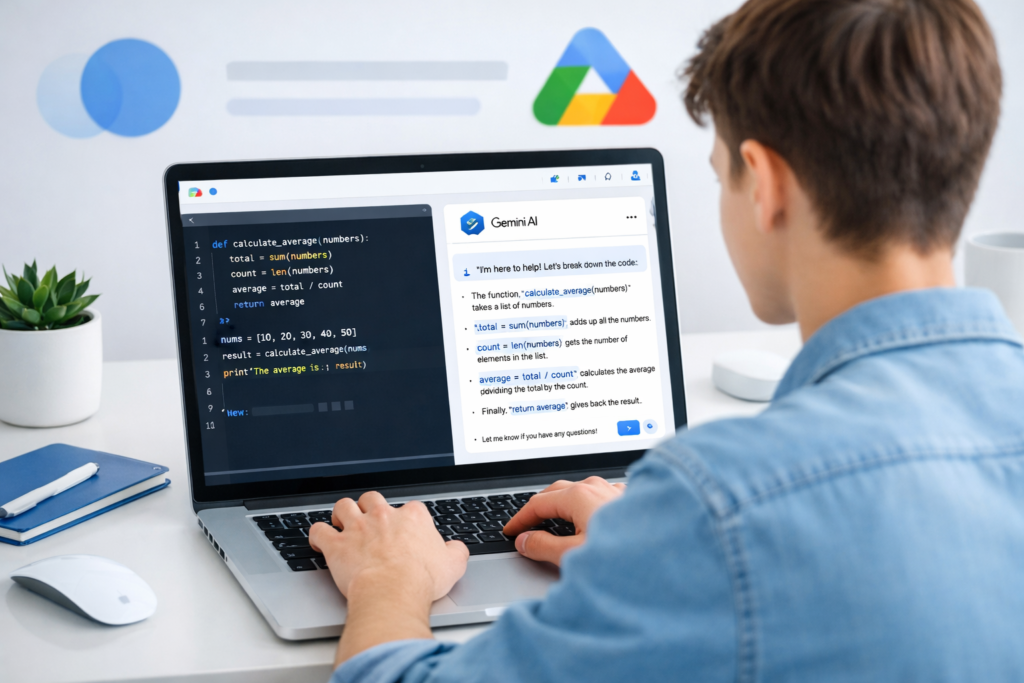
If you are a complete beginner, start with Google Colab.
images
Why Google Colab works perfectly with Google Gemini for learning Python:
- No installation required
- Runs in your browser
- Easy to share notebooks
- Clean beginner interface
- Smooth integration with Google ecosystem
This is the fastest way to start coding in Python without worrying about setup errors.
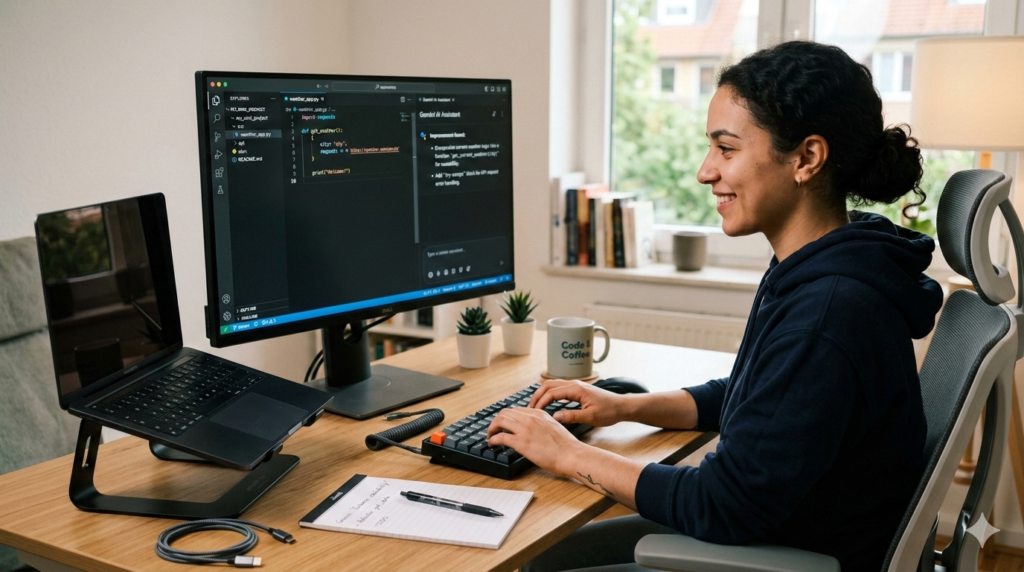
Option 2: VS Code + Gemini Code Assist (Professional Setup)
If you want to take Python seriously, use:
- Visual Studio Code
- Gemini Code Assist extension
Why this is powerful:
- Real development workflow
- File structure management
- Debugging tools
- Extension support
- Professional environment
Using Google Gemini for learning Python inside VS Code gives you real-world experience from day one.
The “Tutor Mode” Prompt (Critical for SEO + Learning)
Before asking anything, prime Gemini properly.
Use this:
I am a total beginner learning Python. I want you to act as my coding mentor. Do not give me full code immediately. Explain the logic first, give hints, and ask follow-up questions to test my understanding.
This single prompt transforms Google Gemini for learning Python into a structured mentor instead of a code machine.
While Google Gemini is powerful, you can also explore other tools listed in my guide on the best free AI tools for Python coding to compare features.
Phase 2: Learning Python Fundamentals with Google Gemini
Now comes the real learning.
This is where Google Gemini for learning Python becomes powerful — if you use it interactively.
Variables & Data Types (Using Analogies)
Instead of asking:
“Give me examples of Python variables.”
Ask:
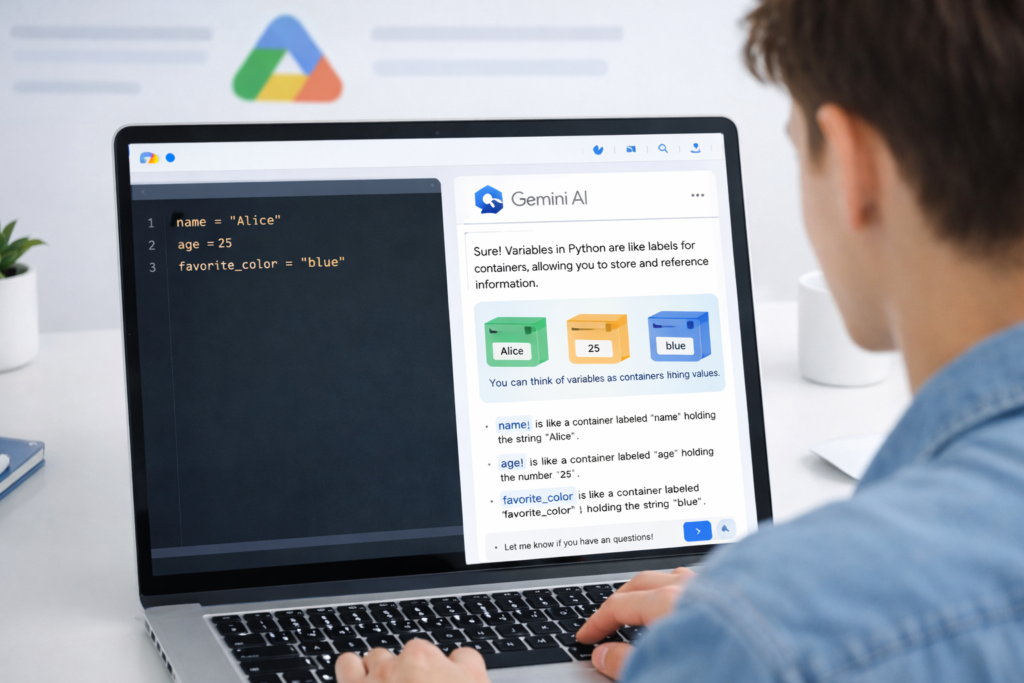
“Explain Python variables using a grocery store analogy.”
Gemini might explain:
- A variable = labeled box
- A list = shopping basket
- A dictionary = labeled shelf
Suddenly, abstract code becomes relatable.
The Analogy Generator Prompt
Explain the Python concept of Lists vs Dictionaries using an analogy related to cooking. After the analogy, show a simple 5-line code example.
This approach improves:
- Concept clarity
- Long-term memory
- Logical thinking
When using Google Gemini for learning Python, always ask for analogies if confused.
Loops & Logic — Ask “Why”
Loops are where many beginners struggle.
Instead of:
“Write a for loop example.”
Ask:
“Why does range(5) stop at 4 instead of 5?”
The difference?
One builds typing skills.
The other builds understanding.
Google Gemini for learning Python works best when you challenge it with “why” questions.
The “Explain This Code” Technique
Paste code:
for i in range(5):
    print(i)
Then ask:
“Explain this line by line in simple language.”
This forces deep understanding instead of memorization.
If the explanation is complex, reply:
“Explain that like I’m 10 years old.”
That sentence alone makes Google Gemini for learning Python far more effective.
Phase 3: Debugging with Google Gemini (Without Panic)
Errors are not failure.
They are feedback.
And this is where Google Gemini for learning Python becomes a game changer.
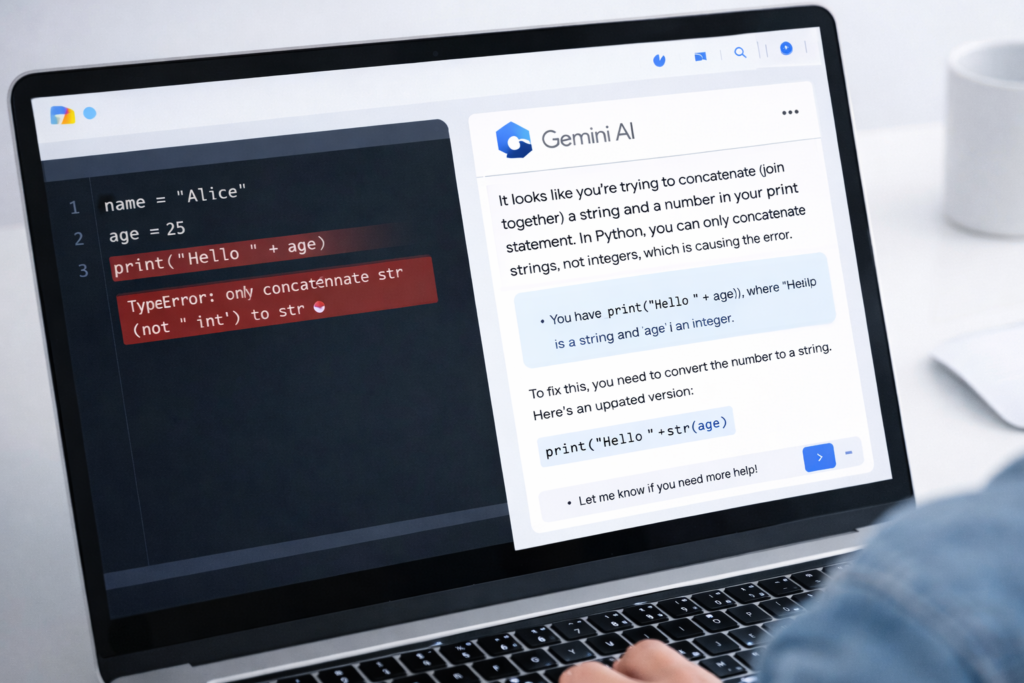
The Debugging Loop
If you see:
TypeError: unsupported operand type(s)
Do this:
- Copy full error
- Paste into Gemini
- Ask:
“Explain this error in plain English and tell me what I misunderstood.”
Gemini will:
- Translate technical language
- Identify problem line
- Explain logic issue
- Suggest correction
This removes emotional frustration.
The Canvas Debugger Prompt
In structured environments, use this:
I am getting a SyntaxError. Don’t fix it for me. Highlight the line causing the issue, explain why it happens, and tell me what I should check in my syntax.
Now you are debugging — not outsourcing thinking.
Many syntax errors happen because of the same patterns discussed in my guide on common Python beginner mistakes and how to avoid them.
Rubber Ducking with Gemini Live
Developers use “rubber duck debugging” — explaining their logic out loud.
With Gemini Live 2.0, you can now share your screen or camera. If you’re stuck on a local error, just point your phone at your monitor and say, ‘Gemini, look at my indentation on line 12, what’s wrong?’ It’s like having a senior dev sitting right next to you.
With voice interaction, you can:
- Speak your reasoning
- Describe expected output
- Let Gemini point out logical flaws
This strengthens problem-solving ability — the core of programming.
Phase 4: Building Your First Project with Google Gemini
Learning theory is not enough.
You must build.
Using Google Gemini for learning Python becomes powerful when you move to projects.
Step 1: Ask for Beginner Project Ideas
Prompt:
Suggest 3 beginner-friendly Python projects that improve logic and problem-solving.
Typical ideas:
- Expense Tracker
- Number Guessing Game
- Daily Quote Generator
- Simple Weather App
Step 2: Use Pseudo-Code Before Writing Python
Real developers think before coding.
Use this:
I want to build a Simple Weather App. Before coding, break it into 5 logical steps in plain English. Let’s approve the logic first.
This builds architecture thinking.
Step 3: Incremental Coding Strategy
Never say:
“Build the entire project for me.”
Instead:
- Ask for structure
- Write first function yourself
- Ask Gemini to review
Example:
Review this function and suggest improvements without rewriting everything.
This is how Google Gemini for learning Python should be used — as a reviewer, not a replacement.
Adding Visual Assets (Optional UI Enhancement)
You can even ask Gemini to generate simple app icons or UI ideas for:
- Tkinter apps
- Flask projects
- Portfolio demos
This makes beginner projects look professional.
Advanced Learning: Reverse Engineering Code
One of the most powerful ways to use Google Gemini for learning Python is reverse engineering.
Prompt:
Here is a snippet of Python code: [Paste Code]. Write a comment starting with # for every line explaining exactly what it does.
This helps you:
- Read real-world code
- Understand professional patterns
- Improve faster
Reading code is as important as writing it.
Best Practices: How to Use Google Gemini for Learning Python Without Cheating
Now we talk discipline.
AI is powerful.
But uncontrolled AI creates lazy developers.
1. The “Don’t Give Me the Answer” Rule
Use this:
Do not give me the final answer. Give me hints only.
This builds independent thinking.
2. The 20% Rule
Use Google Gemini for learning Python for:
- Boilerplate code
- Syntax reminders
- Documentation summaries
But do:
- 80% logical thinking
- Problem breakdown
- Algorithm planning
If AI does everything, you stay beginner.
3. Keep a GEMINI.md Learning Log
Inside your project folder, create:
GEMINI.md
Store:
- Lessons learned
- Common errors
- Helpful prompts
- Concept summaries
This builds long-term understanding.
Why Google Gemini for Learning Python Is Different from Traditional Learning
Traditional Learning:
- Passive
- Video consumption
- No feedback
AI-First Learning:
- Interactive
- Adaptive
- Personalized
- Immediate clarification
Google Gemini for learning Python creates a feedback loop.
You ask.
It explains.
You try.
It corrects.
You improve.
That cycle accelerates growth.
Common Mistakes Beginners Make with Gemini
Let’s be direct.
❌ Asking for full projects
❌ Copy-pasting without understanding
❌ Ignoring logic explanations
❌ Not testing code manually
Instead:
✅ Ask “why”
✅ Ask for hints
✅ Rewrite explanations in your own words
✅ Modify examples slightly
That’s how you grow.
The Future of Learning Python with AI
AI tools will only get stronger.
But strong tools don’t create strong developers.
Strong habits do.
If you use Google Gemini for learning Python intentionally:
- You reduce frustration
- You speed up understanding
- You build real projects
- You gain confidence
But remember:
Gemini is the assistant.
You are the architect.
Technical Requirements for 2026
Before you start, ensure your digital toolbox is ready. Python and Gemini have evolved, so don’t get stuck using outdated versions!
- Python 3.14.3: The latest stable release (released Feb 3, 2026) includes significant performance boosts and better error messages that Gemini can interpret easily. Python 3.14 now supports T-strings (Template Strings) and has a vastly improved interactive REPL (the command line window).
- Google Account: A standard Gmail account works, but look into Gemini 3.1 Pro if you plan on uploading entire folders of code (it has a 1-million-token context window!).
- VS Code + Gemini Code Assist: This is the gold standard for 2026. Download the extension to get AI suggestions directly in your editor.
- A “Prompt Journal”: A simple Google Doc or Notion page to save the Power Prompts we discussed earlier.
Bonus: The 7-Day Gemini x Python Action Plan
If you’re feeling overwhelmed, follow this high-intensity roadmap to go from “Zero” to “First App” in one week.
| Day | Topic | Gemini Strategy |
| Day 1 | The Big Setup | Ask: “Help me install Python 3.14 and VS Code on [Windows/Mac]. Walk me through it step-by-step.” |
| Day 2 | Speak Python | Use the Analogy Generator prompt to learn Variables, Integers, and Strings. |
| Day 3 | Logic & Control | Learn if statements and loops. Ask: “Give me a logic puzzle that I have to solve using a Python ‘for loop’.” |
| Day 4 | Data Organizers | Dive into Lists and Dictionaries. Ask Gemini to explain them using a “Library” or “Video Game Inventory” analogy. |
| Day 5 | Functions & Reuse | Learn to write functions. Ask: “Review my function and tell me how to make it more ‘Pythonic’ (cleaner).” |
| Day 6 | The Debugging Challenge | Intentionally break your code and use Gemini to fix it. This builds “muscle memory” for fixing errors. |
| Day 7 | The Graduation Project | Use the Pseudo-Code Architect prompt to build a simple CLI tool (e.g., a Task Manager or Weather Checker). |
If you want to go beyond basic prompts and create a structured workflow, here’s how to build a complete AI-powered Python learning system step by step.
Is Google Gemini free to use for learning Python?
Yes! You can use the standard version of Gemini at no cost. Additionally, in 2026, Google offers a “Gemini for Students” program which gives eligible students (with a .edu email) free access to Gemini 3.1 Pro and 2TB of storage for one year. Even without a student ID, the free tier of Gemini 3.0 Flash is incredibly fast and capable of solving complex coding bugs.
Can Gemini actually run my Python code, or just write it?
Gemini now features native code execution. When you ask Gemini to solve a math problem or analyze a data set, it can actually run a Python interpreter “under the hood” to verify the result before showing it to you. However, for your own projects, it is still best to copy the code into Google Colab or VS Code to build your software.
How is Gemini better than ChatGPT for learning to code?
While both are excellent, Gemini has a few “home-field” advantages:
Google Colab Integration: You can send code directly from Gemini to a Colab notebook with one click.
Massive Context: Gemini 3.0 can “read” your entire project (up to 1 million tokens). You can upload five different .py files at once and ask, “Where is the bug in this entire system?”
Deep Research: If you’re using a new Python library, Gemini can browse the most up-to-date documentation via Google Search more effectively than most other AIs.
Will using AI prevent me from actually “learning” how to code?
Only if you let it! If you just copy and paste without reading, you won’t learn. To avoid this, use the “Tutor Mode” prompt mentioned earlier in this blog. Force Gemini to explain the logic (the “why”) rather than just the syntax (the “what”).
Can I use Gemini on my phone to practice Python?
Absolutely. Using Gemini Live, you can actually have a hands-free conversation about coding logic while you’re commuting or doing chores. You can say, “Hey Gemini, explain how a ‘for loop’ works again?” and it will talk you through it.
Can I use Gemini to build mobile apps with Python?
Yes, but with a slight twist. While Python isn’t the native language for iOS or Android, you can ask Gemini to help you use frameworks like Kivy or BeeWare. Better yet, in 2026, many beginners use Gemini to write FastAPI backends in Python and then ask Gemini to generate the “frontend” code in a beginner-friendly language like Flutter, guiding you on how to connect the two.
Which version should I use for coding: Gemini 3.1 Flash or Pro?
Surprisingly, for most coding tasks, Gemini 3.1 Flash is the winner. In 2026 benchmarks (like SWE-bench), Flash actually outperforms Pro in “agentic coding”—which is the ability to plan and write multi-file projects. It’s also much faster and cheaper. Save the Pro version for high-level architectural planning or when you need to analyze massive amounts of data (up to 2 million tokens).
What is “Vibe Coding” and can Gemini help me do it?
“Vibe Coding” is a popular 2026 term for describing an app’s “vibe” or function in plain English and letting the AI handle the heavy lifting. Gemini is perfect for this. You can use the Canvas feature to say, “I want a Python script that looks like a retro 80s terminal and tracks my gym progress,” and Gemini will generate the logic and the visual style simultaneously.
Can Gemini help me prepare for Python job interviews?
Absolutely. You can use Gemini Live to conduct a “Mock Interview.” Just say: “I am applying for a Junior Python Developer role. Give me a technical coding challenge, wait for my verbal explanation of the logic, and then critique my thought process.” It’s the best way to practice explaining your code out loud—a key skill for getting hired.
Does Gemini work with my existing code on GitHub?
Yes. With the Gemini Code Assist extension for VS Code, you can grant Gemini access to your local folders or specific GitHub repositories. This allows it to understand the “context” of your entire project, so it won’t suggest a variable name or a function that conflicts with something you wrote three days ago.
Final Action Plan (Start Today)
- Open Google Colab or VS Code
- Paste the Tutor Mode prompt
- Learn one concept today
- Ask one “why” question
- Build one small project this week
- Share your project on GitHub
Consistency beats intensity.
Use Google Gemini for learning Python daily — even 30 minutes.
Six months from now, you won’t be a beginner anymore.
You’ll be a builder.